






Can customers schedule when the gift voucher gets sent?
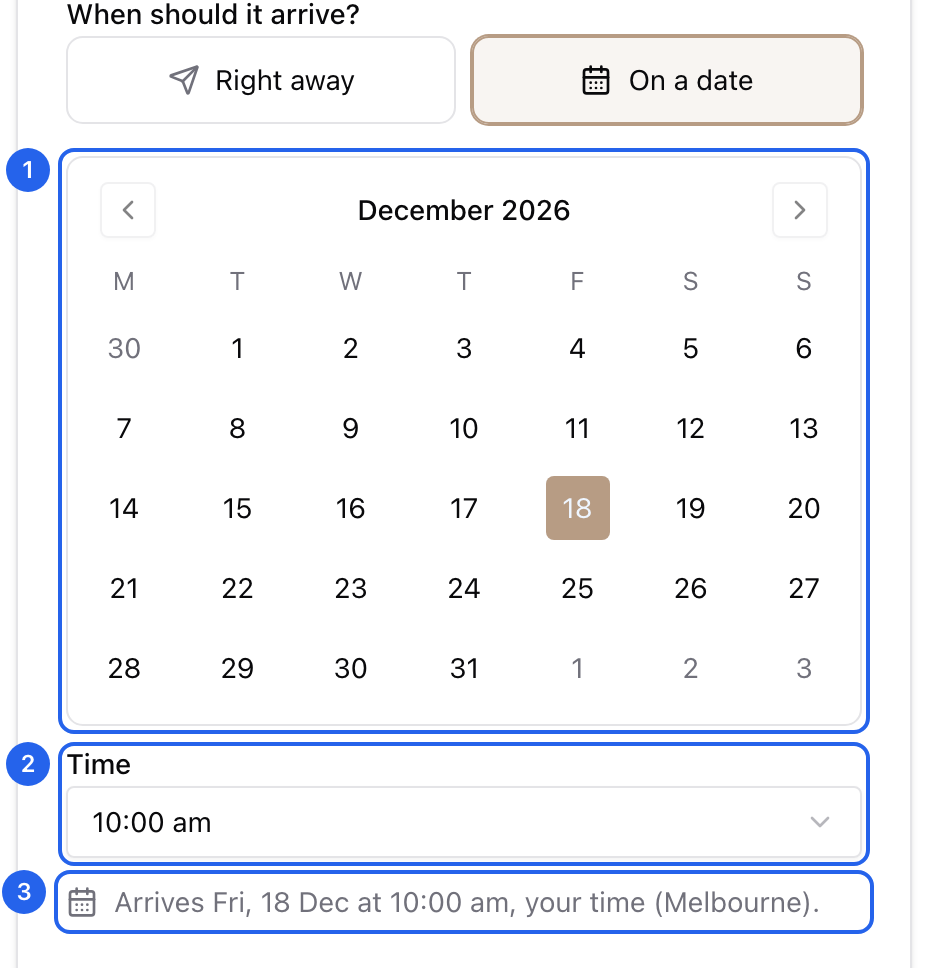
Yes. Your customers can schedule the gift voucher email for any future day and time, right on the checkout. Under the recipient’s email address, the checkout asks When should it arrive? Customers choose On a date, then pick the day and the hour to send the gift voucher to the recipient. Right away is selected by default.
Note that this feature only applies to digital gift vouchers, so if you have our postal feature turned on, it won't apply to those orders.
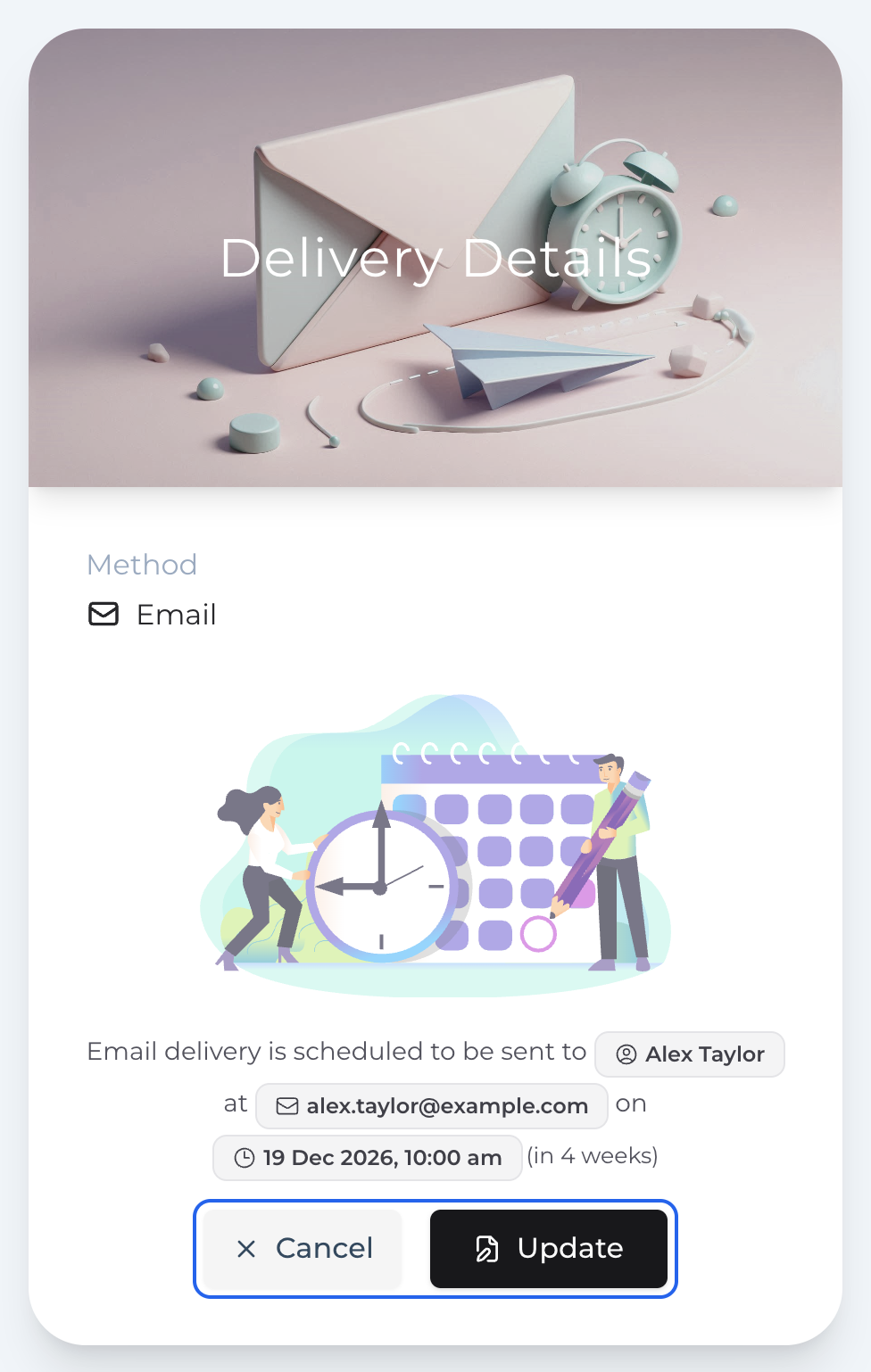
In the VaocherApp dashboard, open the gift voucher to see when its email is scheduled under Delivery Details. Click Update to change the recipient or the send date and time, or Cancel to cancel the schedule.