









How “From Name” and “From Email” Settings Work
When setting up your sender details in VaocherApp, you may notice that changing the “From name” and “From email” does not affect how the email appears in the recipient’s inbox.
This is expected behaviour and is related to email security standards.
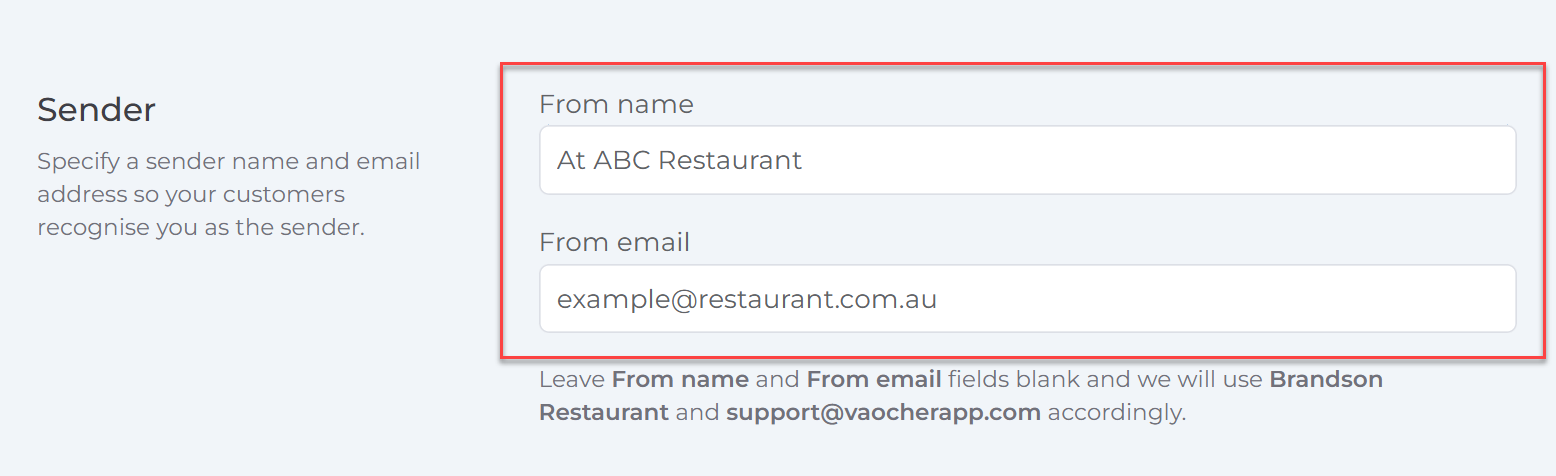
Why it works this way
For security reasons and to follow email sending best practices, VaocherApp cannot send emails on behalf of another domain in a way that may be interpreted as impersonation (e.g. sending as example@restaurant.com.au while actually sending from our system infrastructure).
Email providers such as Gmail, Outlook, and Apple Mail often detect this and may show warnings such as:
- “This message may be spoofed”
- Security warning banners in the email header
How VaocherApp handles “From” details
Instead of changing the actual sending identity, VaocherApp uses the following approach:
- The system sends emails from a verified sender domain for deliverability and security
- The “From name” and “From email” you enter are placed into the Reply-To header
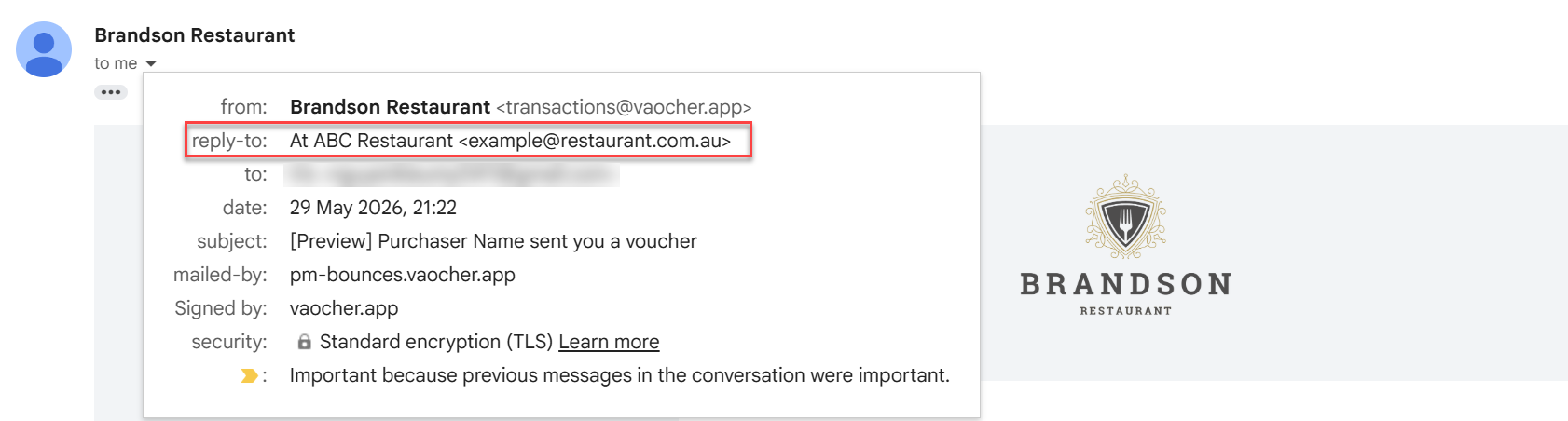
What this means for you
- The recipient may still see the system-controlled sender in the email header
- However, when they click Reply, the reply will go to the “From name” and “From email” you configured
- This ensures replies go to the correct business contact while maintaining safe email delivery practices