









How to Edit Gift Card Details
Keeping your gift card information accurate and current ensures a seamless experience for your customers. Whether you need to update the recipient’s name, personalise a message, adjust the expiry date, or change the email address, VaocherApp lets you edit gift card details easily—even after the gift card has been issued.
Why Updating Gift Card Information Matters
Maintaining correct gift card details helps avoid redemption problems and enhances customer satisfaction. VaocherApp enables you to quickly update any information, keeping your records accurate and your gift card program running smoothly.
Step-by-Step: Editing Gift Card Details
1. Locate the Gift Card in Your Orders
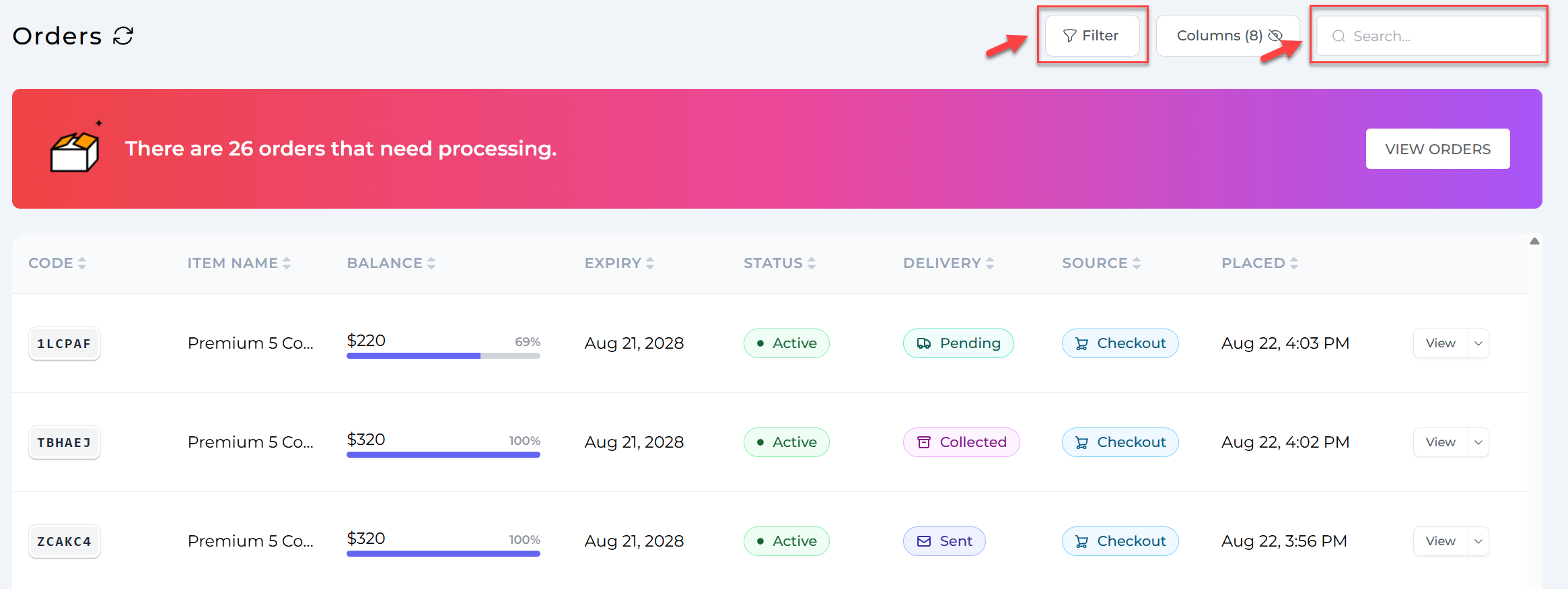
Head to the Orders page on your VaocherApp dashboard. Use the search function or filters to find the specific gift card you want to edit.
2. Click the Edit Button
Once you’ve found the gift card, click on the Edit button next to it to open the editing interface.

3. Update the Gift Card Information
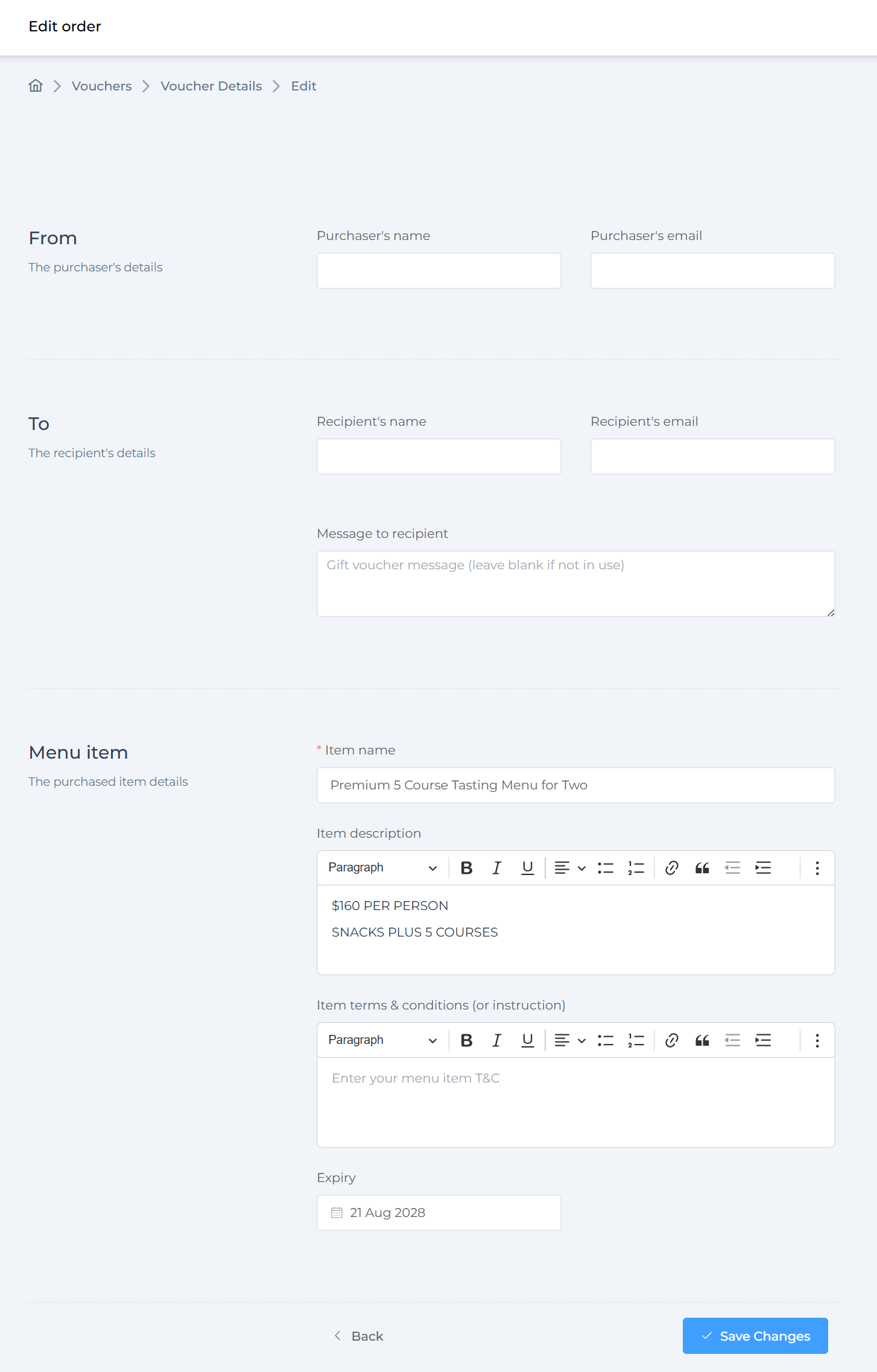
You can change important details, including:
- Purchaser’s and recipient’s names
- Purchaser’s and recipient’s email addresses
- Personalised messages
- Expiry dates
- Other relevant fields
Review your updates carefully before saving.
With VaocherApp’s user-friendly editing tools, updating gift card details is fast and hassle-free. This lets you offer a better customer experience and maintain smooth operations for your gift card program.