
In-store redemption
Gift Voucher Redemption & Balances
Keep Every Redemption Clear
When a guest presents a gift, staff need to find the voucher, take the right amount and see what is left. VaocherApp keeps that workflow simple on mobile or in the browser.
Selling online first? See online voucher sales
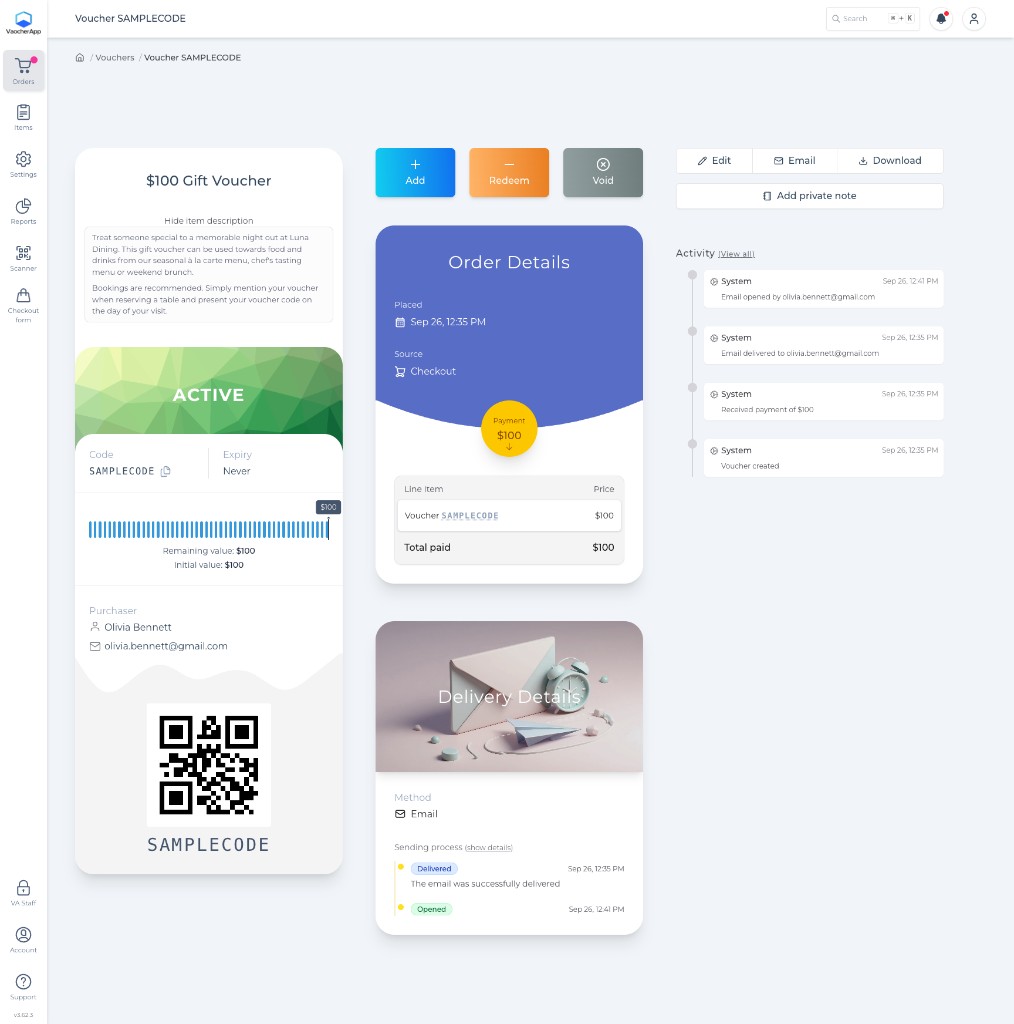

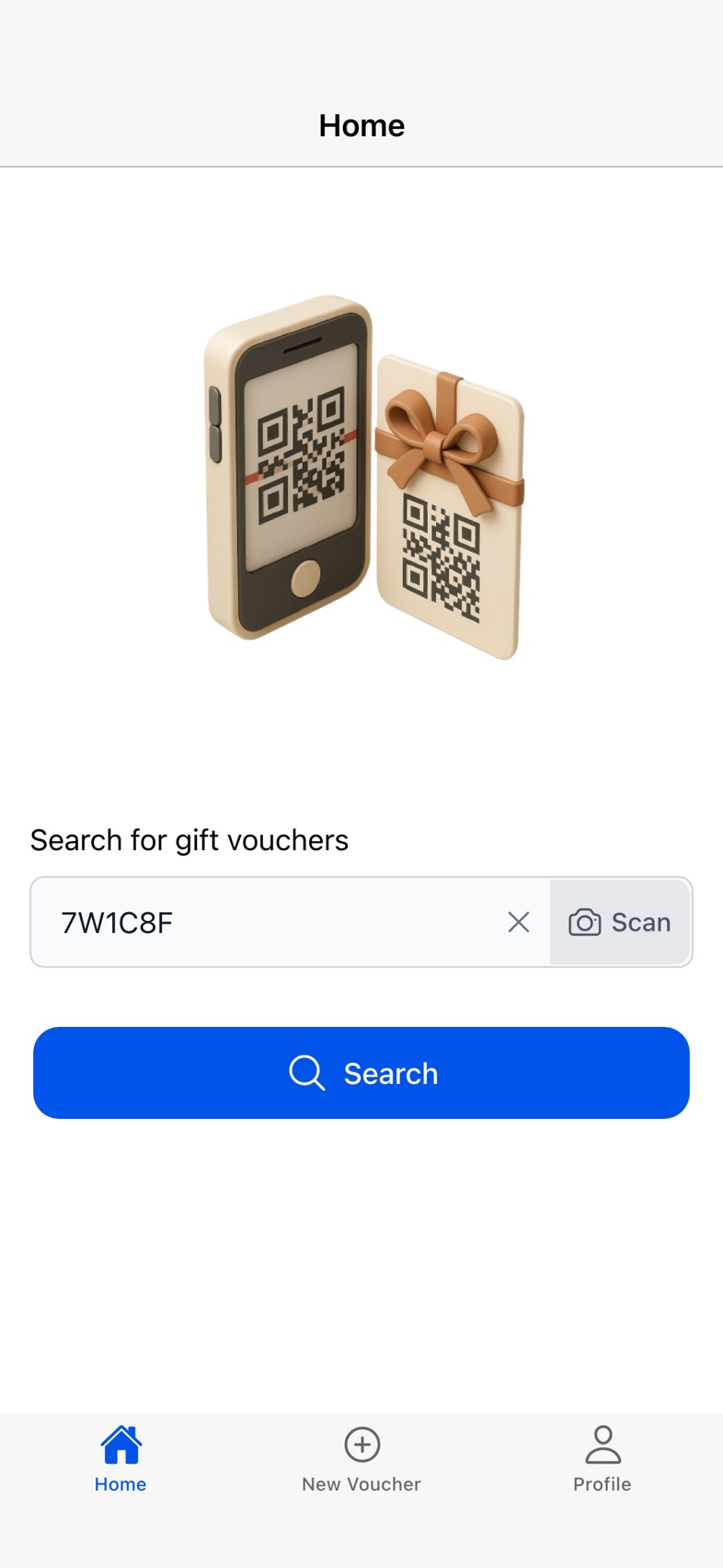
Find a voucher
Look up by voucher code or scan the QR code on the gift.
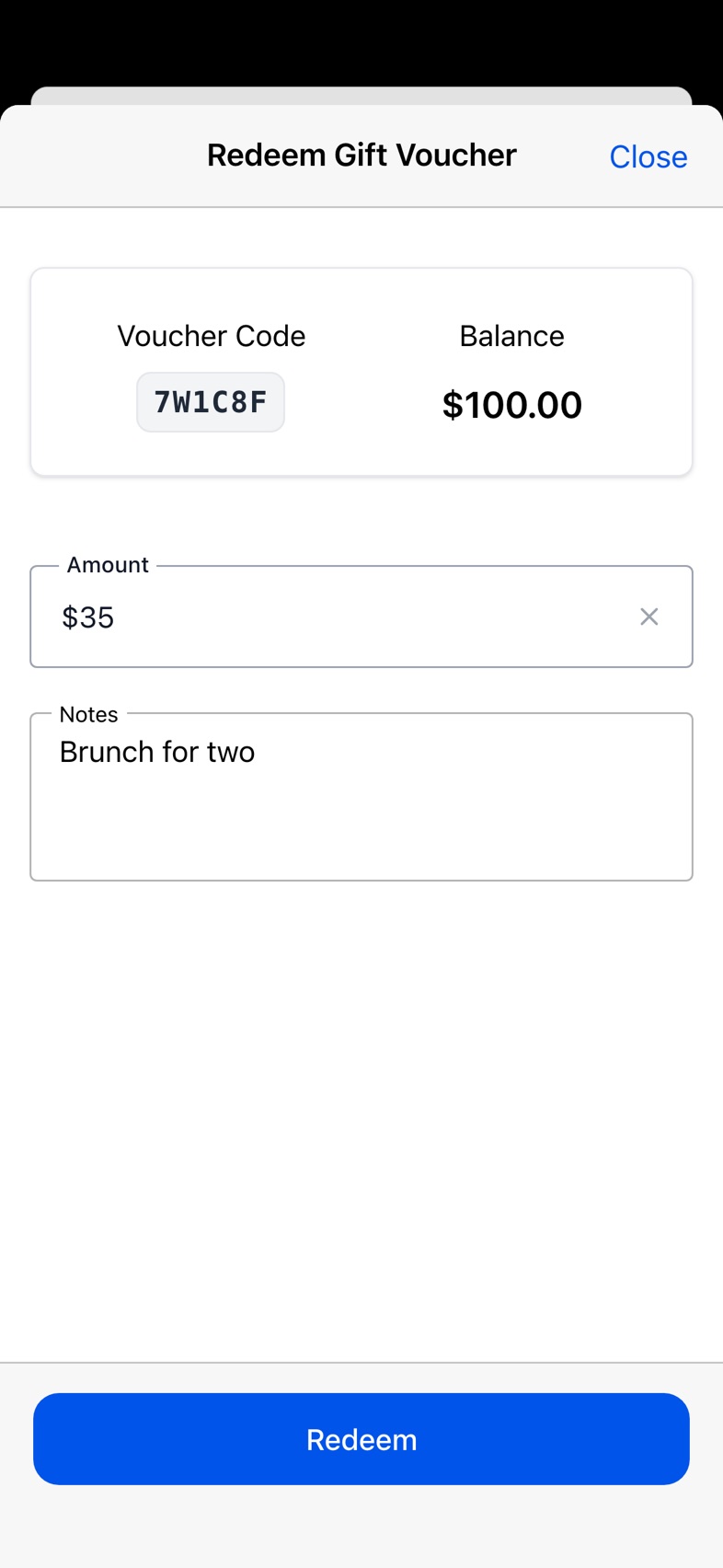
Redeem part or all
Take the full balance, or enter the amount used today.
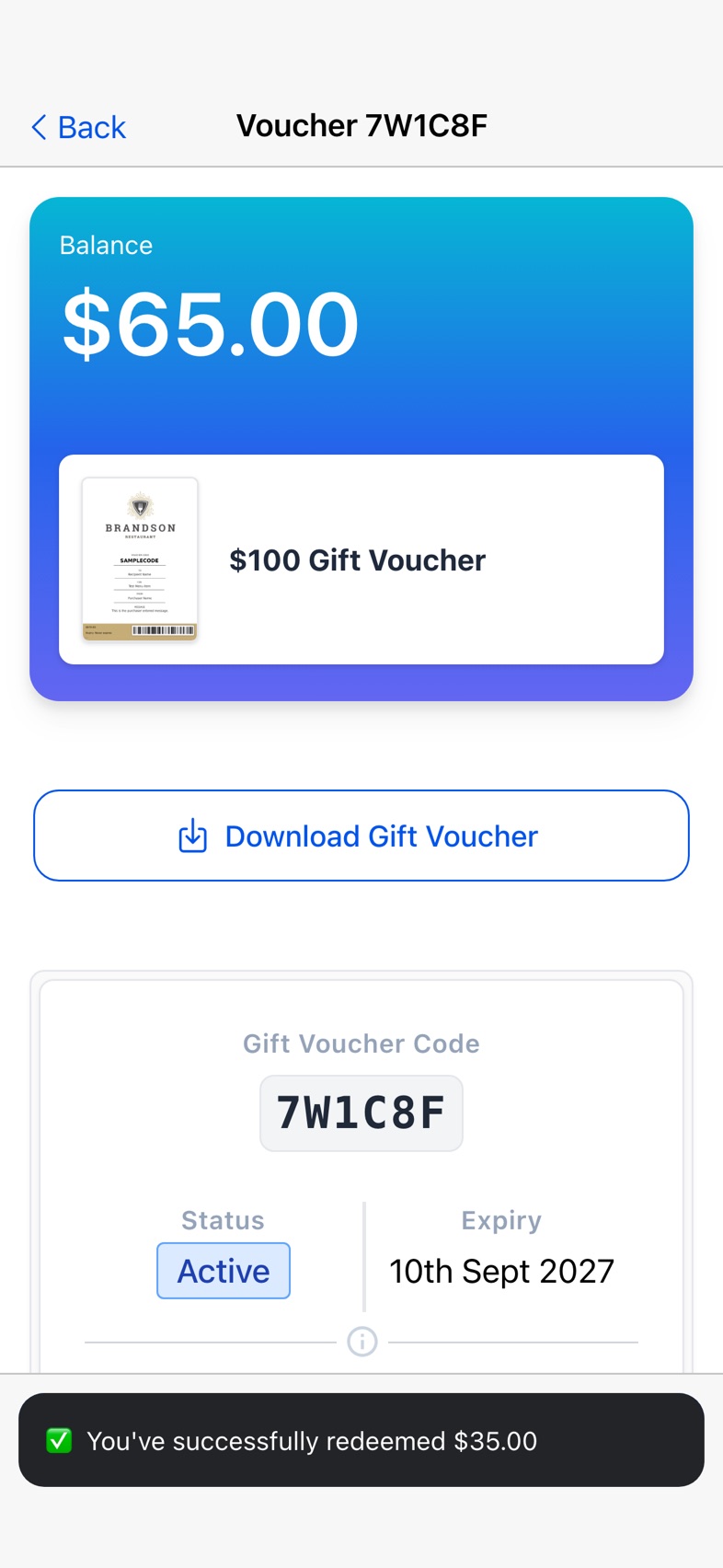
See what remains
Remaining value stays clear for the next visit.
Staff workflow
Find. Check. Redeem.
Three clear steps from the guest presenting a voucher to an updated remaining balance.
- 01
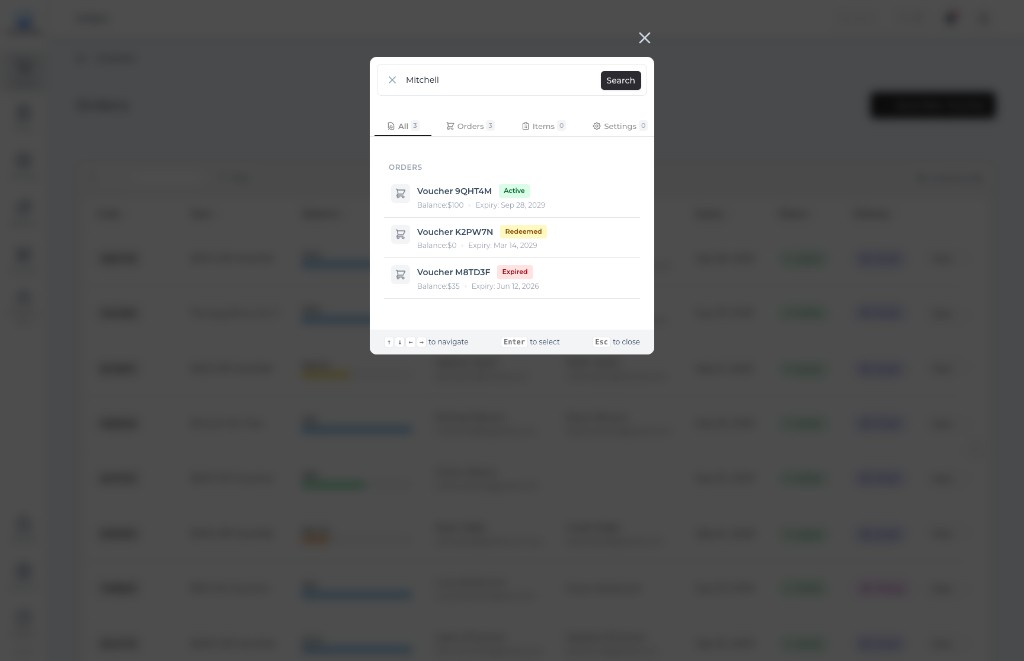
Find the voucher
Enter the voucher code or scan the QR code from the recipient’s PDF.
- 02
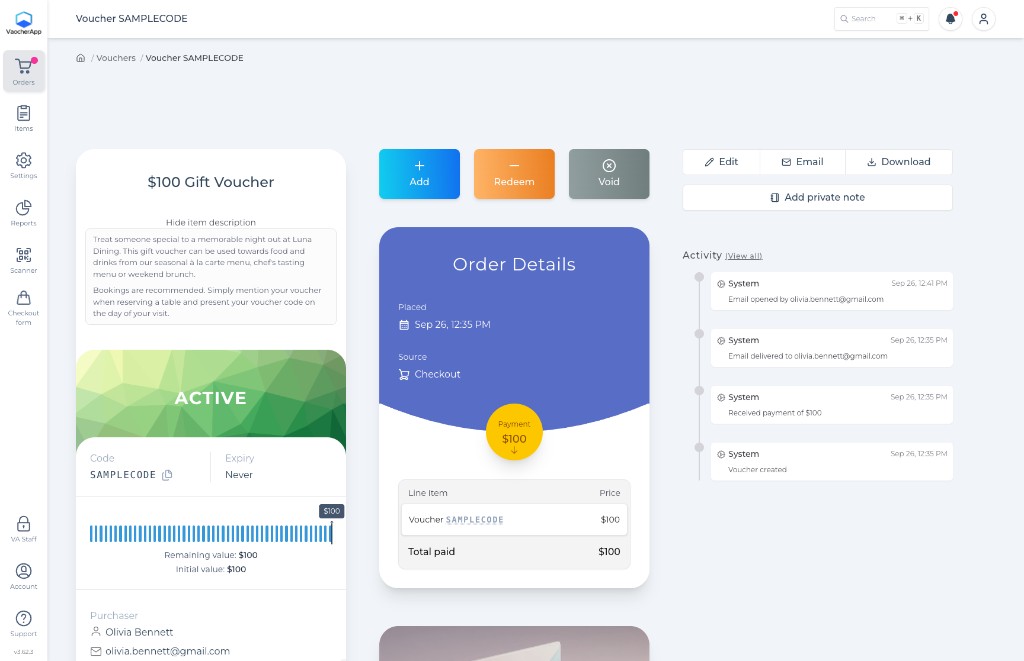
Check details and balance
Confirm the item, status and remaining value before you redeem.
- 03
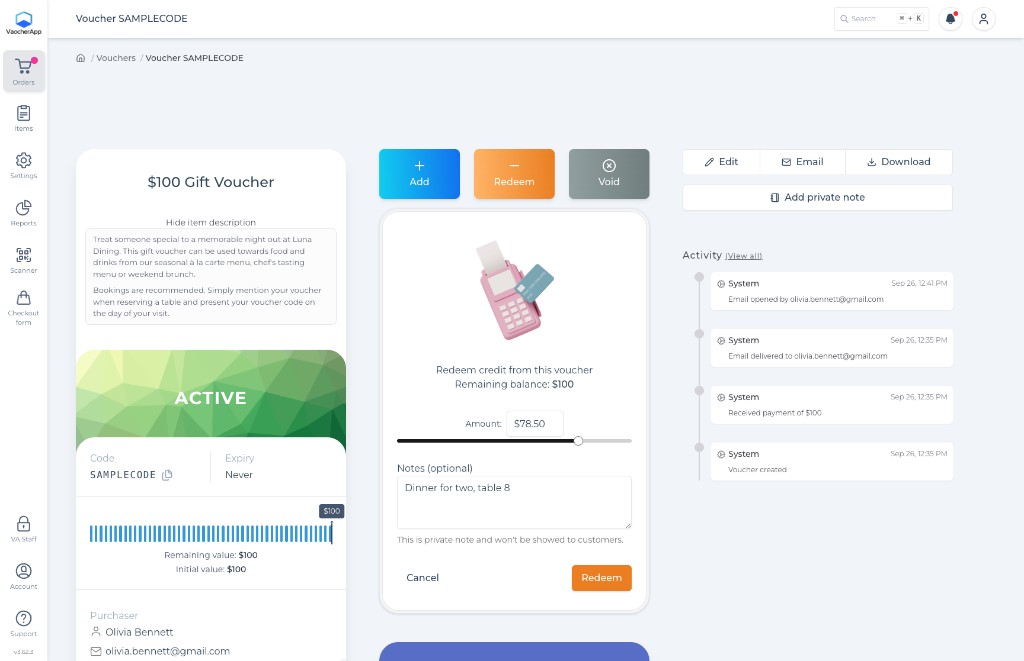
Enter and confirm
Enter the amount to redeem and confirm. The remaining balance updates right away.
Partial or full redemption
Use $35 today.
Leave $65 for next time.
Drag the amount the way staff do. Redeem part of the balance or all of it. The voucher keeps track either way.
Redeem credit from this voucher
Remaining balance: $100
Guest uses $35 today. $65 stays on the voucher.
$100 Gift Voucher
- Code
- SAMPLECODE
- Expiry
- Never
Remaining value: $65
Initial value: $100
Interactive example using a demo voucher.
Phone, tablet or laptop
Redeem where your staff already work.
Use the VaocherApp mobile app or open the same redemption tools in your browser. Staff do not need a separate till for every voucher check.
Connected systems
Redeem in VaocherApp,
or through a supported integration.
Many teams redeem directly in VaocherApp. If you use a POS or booking system, check that integration’s own redemption workflow — steps and sync behaviour can differ.
Browse integration guidesExample restaurant POS
Lightspeed Restaurant (K-Series) has its own gift card redemption flow alongside VaocherApp.
See Lightspeed K-SeriesRecords and corrections
Activity stays with the voucher.
Each redemption is recorded against the voucher so staff can see what was used and what remains. If a voucher should no longer be accepted, you can void it.
- Redemption amounts appear in the voucher activity
- Voided vouchers stay in records but cannot be redeemed
- Voiding a voucher is not the same as refunding a payment
$100 Gift Voucher
7W1C8F · for Sarah Mitchell
$36.50left of $100.00
Jordan Patel redeemed $28.50
Sep 26, 1:18 PM
Coffee and cake for two
Mia Chen redeemed $35.00
Sep 19, 12:46 PM
Brunch for two
Emailed to Sarah Mitchell, opened the same evening
Sep 13, 6:00 PM
Bought online by Tom Nguyen · $100.00 paid
Sep 12, 7:41 PM
Try it. Nothing gets deleted.
Interactive example using a demo voucher.
Before you go live
Practise the staff flow.
Use Test Mode to walk through lookup, partial redemption and the remaining balance before your first busy shift.
Follow the getting started checklist- 1
Create a test voucher
Place a test order so you have a code and PDF to practise with.
- 2
Look it up and redeem part
Find the voucher, redeem a small amount, and check the remaining balance.
- 3
Show staff the same steps
Confirm everyone knows how to scan, redeem and check what is left.
Common questions
Redemption, explained.
Need help training staff or setting up an integration?
Talk to our teamCan a voucher be used over multiple visits?
Yes. Staff can redeem part of the balance and leave the rest for later visits. The remaining value stays on the voucher until it is used or expires.
Is an app required to redeem vouchers?
No. You can redeem vouchers in the VaocherApp mobile app or through your web browser on a phone, tablet or laptop.
See mobile redemptionCan staff scan the voucher?
Yes. Staff can look up a voucher by typing the code or by scanning the QR code on the voucher PDF.
Can an incorrect voucher be taken out of use?
Yes. You can void a voucher so it can no longer be redeemed. The voided voucher stays in your records. Voiding a voucher is different from refunding a payment.
Read the voiding guideHow does POS redemption differ?
Some businesses redeem in VaocherApp. Others redeem through a connected POS or booking integration. Each integration has its own workflow, so check the guide for your setup.
Browse integration guidesWhere can I review redemption activity later?
Use VaocherApp reports and exports to review redemption periods, outstanding balances and CSV downloads for your own checks.
Explore reporting and reconciliationReady for clearer redemptions
Make every voucher easy to check and redeem.
Set up lookup, partial redemption and remaining balances before your next gift visit.