









Square Integration
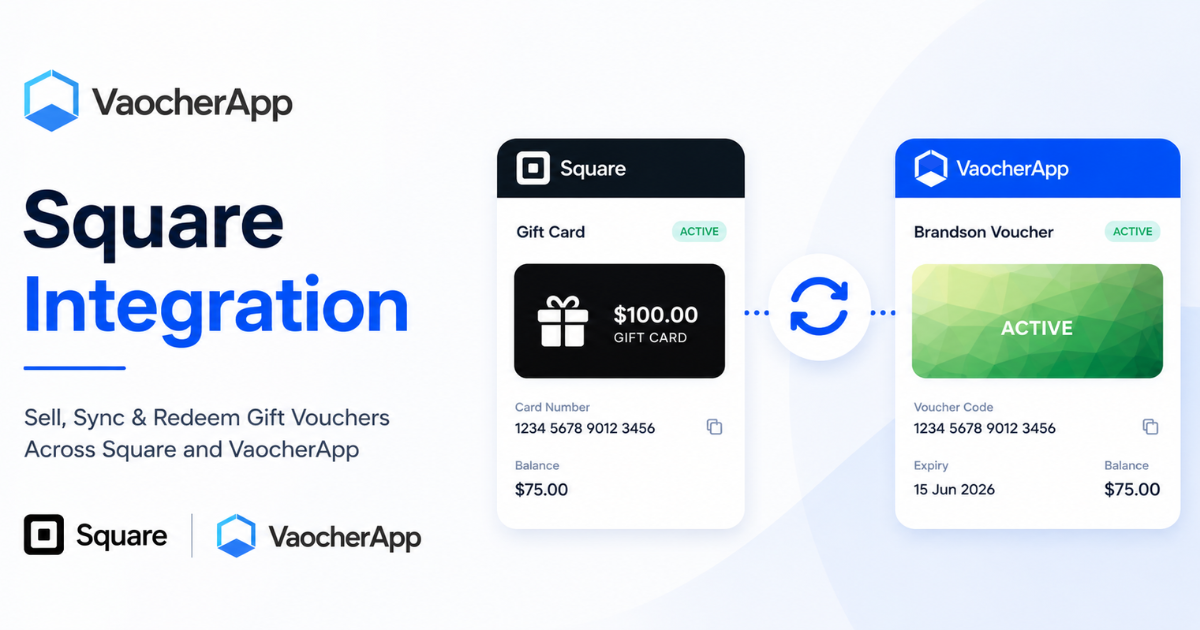
Connect VaocherApp to Square to accept online payments, automatically sync gift cards, redeem through Square POS, and keep voucher balances updated across both platforms.
Features
VaocherApp supports two-way synchronisation with Square.
VaocherApp → Square
When a voucher is sold or manually issued through VaocherApp:
- The voucher is created in VaocherApp
- A matching gift card is created in Square
- The gift card can be redeemed through Square POS
Square → VaocherApp
When a gift card is created directly in Square:
- The gift card is imported into VaocherApp
- A matching voucher record is created
- The gift card can be managed from both platforms
This ensures all gift card activity remains synchronised regardless of where the gift card was originally created.
Before You Start
Before connecting Square, make sure you have:
- An active Square account
- Administrator access to your Square account
- An active VaocherApp account
- At least one active Square location
Connect Square
- Log in to your VaocherApp account.
- Navigate to Settings → Integrations → Square:
- Click Connect Square.
- Sign in to your Square account.
- Authorise VaocherApp to access your Square account.
- Click Save Changes.
Once connected, the integration status will display Connected.
Configure Square Integration
After connecting your Square account, you can configure how VaocherApp communicates with Square.
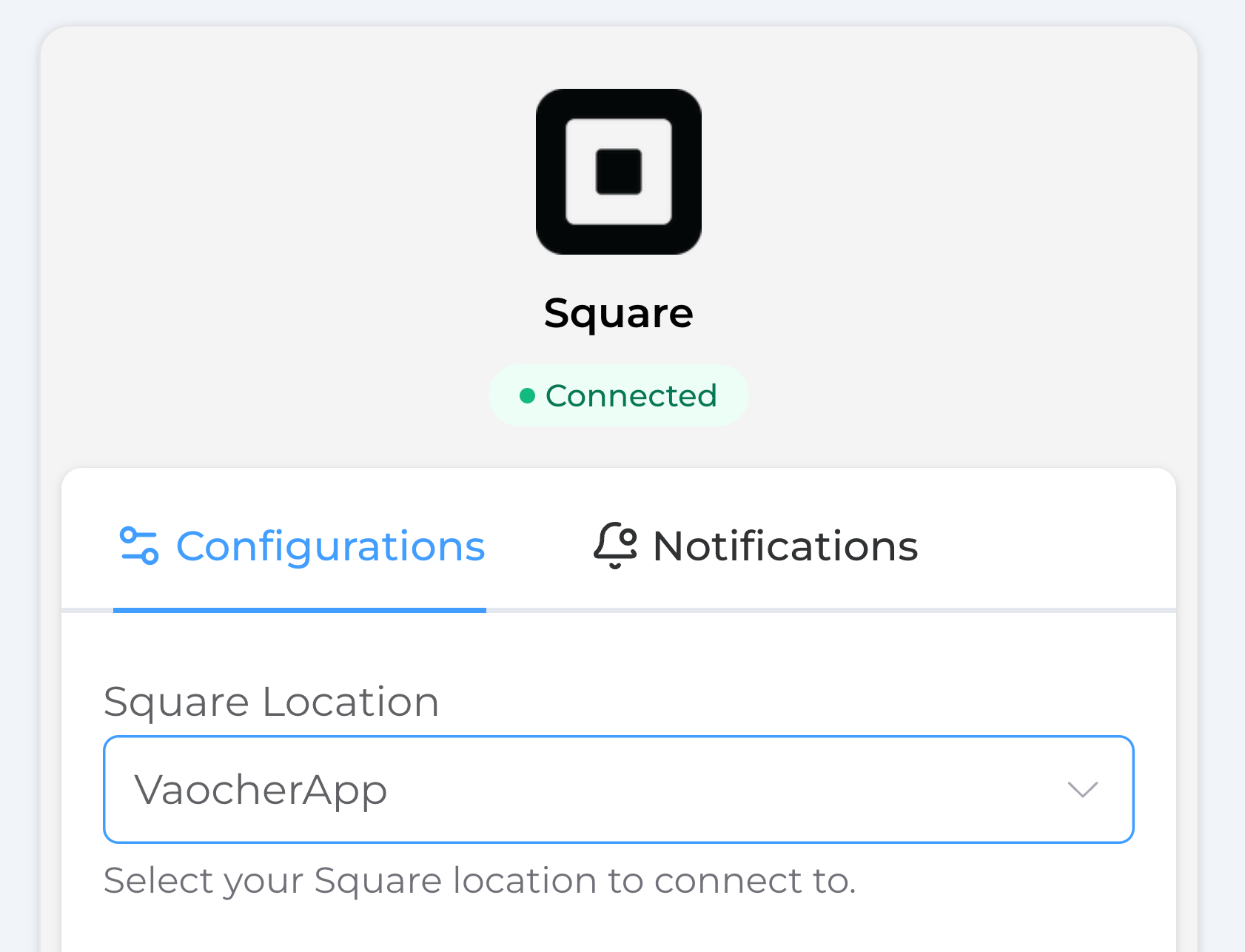
1. Select a Square Location
Choose the Square location that VaocherApp should connect to.
The selected location will be used for:
- Processing online payments
- Creating Square gift cards
- Redeeming gift cards through Square POS
- Synchronising gift card balances
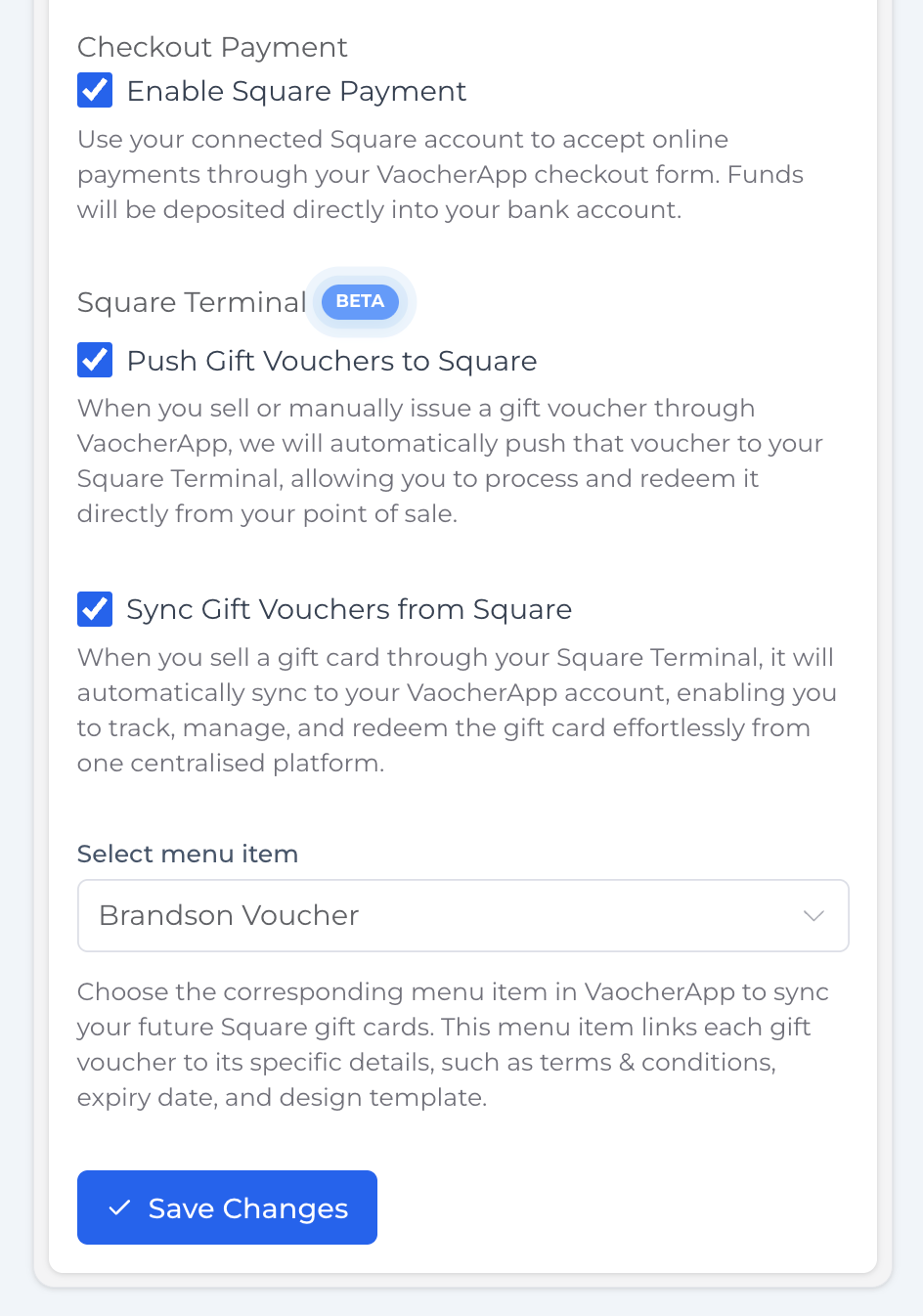
2. Enable Square Payments
Enable Square Payment to accept online payments through your voucher store.
When enabled:
- Customers can purchase vouchers using Square
- Payments are processed securely by Square
- Funds are deposited directly into your nominated bank account
3. Push Gift Vouchers to Square
Enable Push Gift Vouchers to Square to automatically create Square gift cards whenever a voucher is sold or manually issued through VaocherApp.
This allows staff to redeem vouchers directly through Square POS.
4. Sync Gift Vouchers from Square
Enable Sync Gift Vouchers from Square to automatically import gift cards created directly in Square.
When enabled:
- Gift cards created in Square will appear in VaocherApp
- Voucher balances remain synchronised
- All gift card activity can be managed from one central location
5. Select a Voucher item
When importing gift cards from Square, choose the VaocherApp voucher item that should be used.
The selected template determines:
- Voucher design
- Terms and conditions
- Voucher configuration
Click Save Changes once you have finished configuring the integration.
Redeeming Gift Cards Through Square POS
Once a gift card has been purchased and pushed to Square, it can be redeemed directly through Square POS.
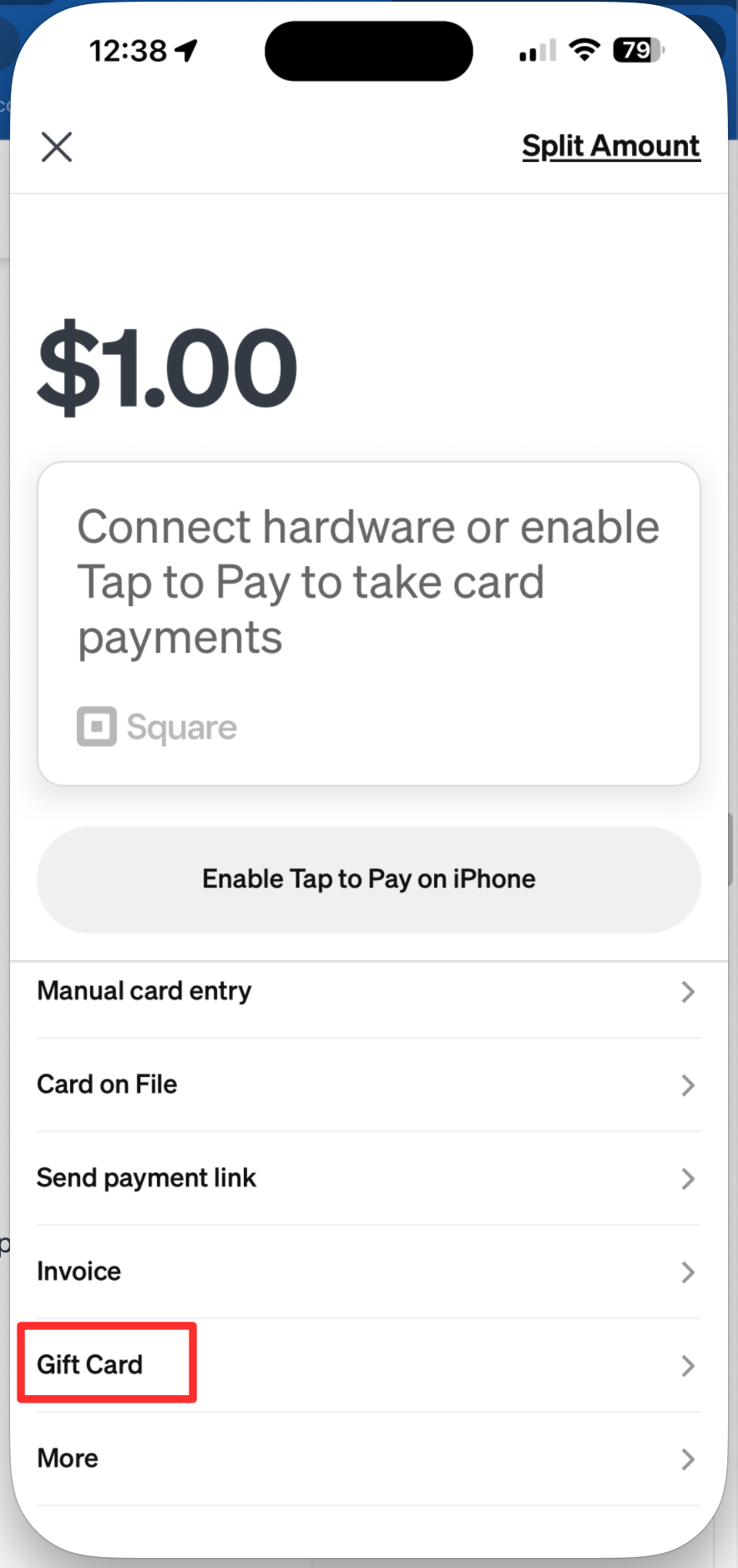
Redeem a Gift Card
- Create a sale in Square POS.
- Add products or services to the sale.
- Proceed to checkout.
- Select Gift Card as the payment method.
- Scan or enter the gift card number.
- Complete the transaction.
The remaining balance will automatically update in both Square and VaocherApp.
Example
A customer purchases a $100 gift voucher online.
The gift card is automatically created in Square with a balance of $100.
The customer later redeems $25 through Square POS.
The remaining balance becomes:
- Square: $75
- VaocherApp: $75
No manual updates required.
How Square Gift Cards Sync Back to VaocherApp
When Sync Gift Vouchers from Square is enabled, gift cards created directly in Square will automatically be imported into VaocherApp.
This allows you to manage gift cards created from either platform while keeping balances and redemption activity synchronised.
Example Workflow
- A staff member creates or sells a gift card directly through Square.
- Square automatically sends the gift card details to VaocherApp.
- VaocherApp creates a matching voucher record using the selected voucher template.
- The voucher becomes available in the VaocherApp dashboard.
- Future redemptions and balance changes remain synchronised between both systems.
What Gets Imported?
The following information is automatically synced from Square:
- Gift card number
- Current balance
- Original value
- Status
- Creation date
- Redemption activity
Why Use This Feature?
This feature is useful for businesses that:
- Sell gift cards through Square POS
- Issue gift cards directly from Square
- Want all gift cards visible in VaocherApp
- Need centralised reporting and voucher management
Once enabled, VaocherApp will automatically monitor your connected Square location and import newly created gift cards.
Notifications
Square integration notifications can be enabled to help monitor synchronisation activity.
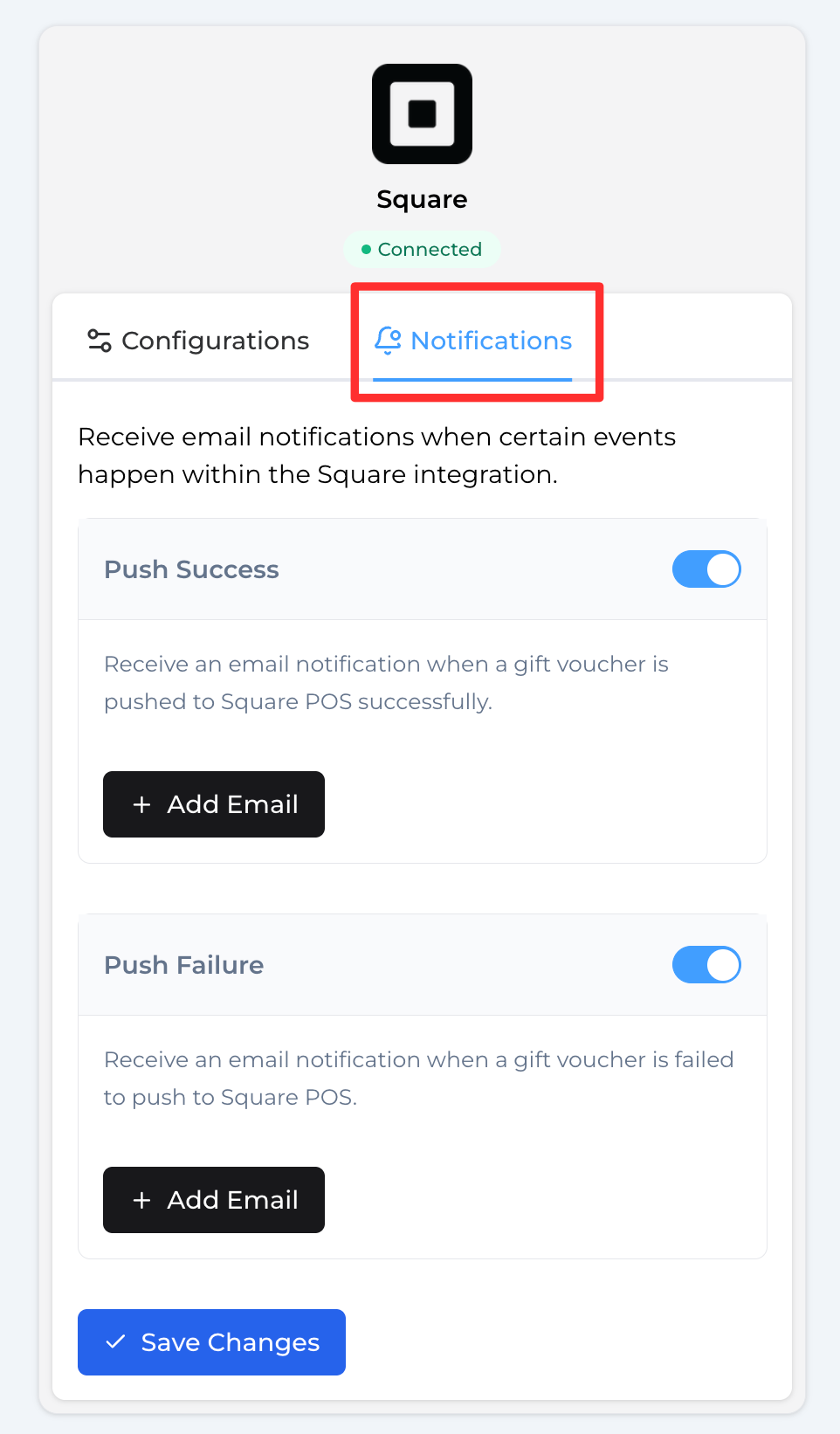
Settings → Integrations → Square → Click “Notifications” tab
Push Success
Receive an email notification whenever a gift voucher is successfully pushed to Square.
Push Failure
Receive an email notification whenever a gift voucher fails to push to Square.
These notifications can help identify issues before they affect customers or staff.
View Sync Activity
You can view Square synchronisation activity directly from the voucher page.
Search for the voucher using the voucher code -> Click “View all” under the Activity section
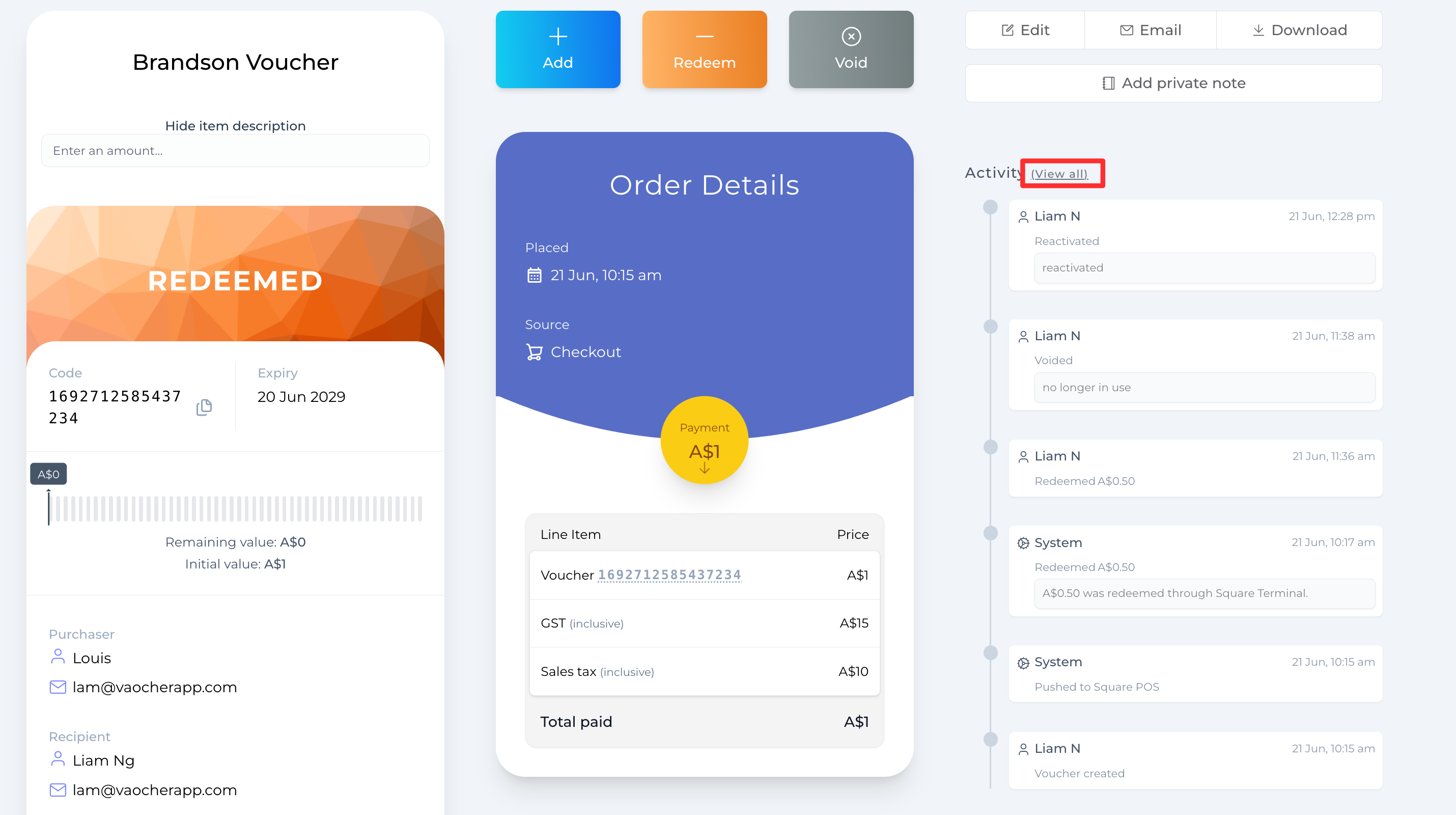
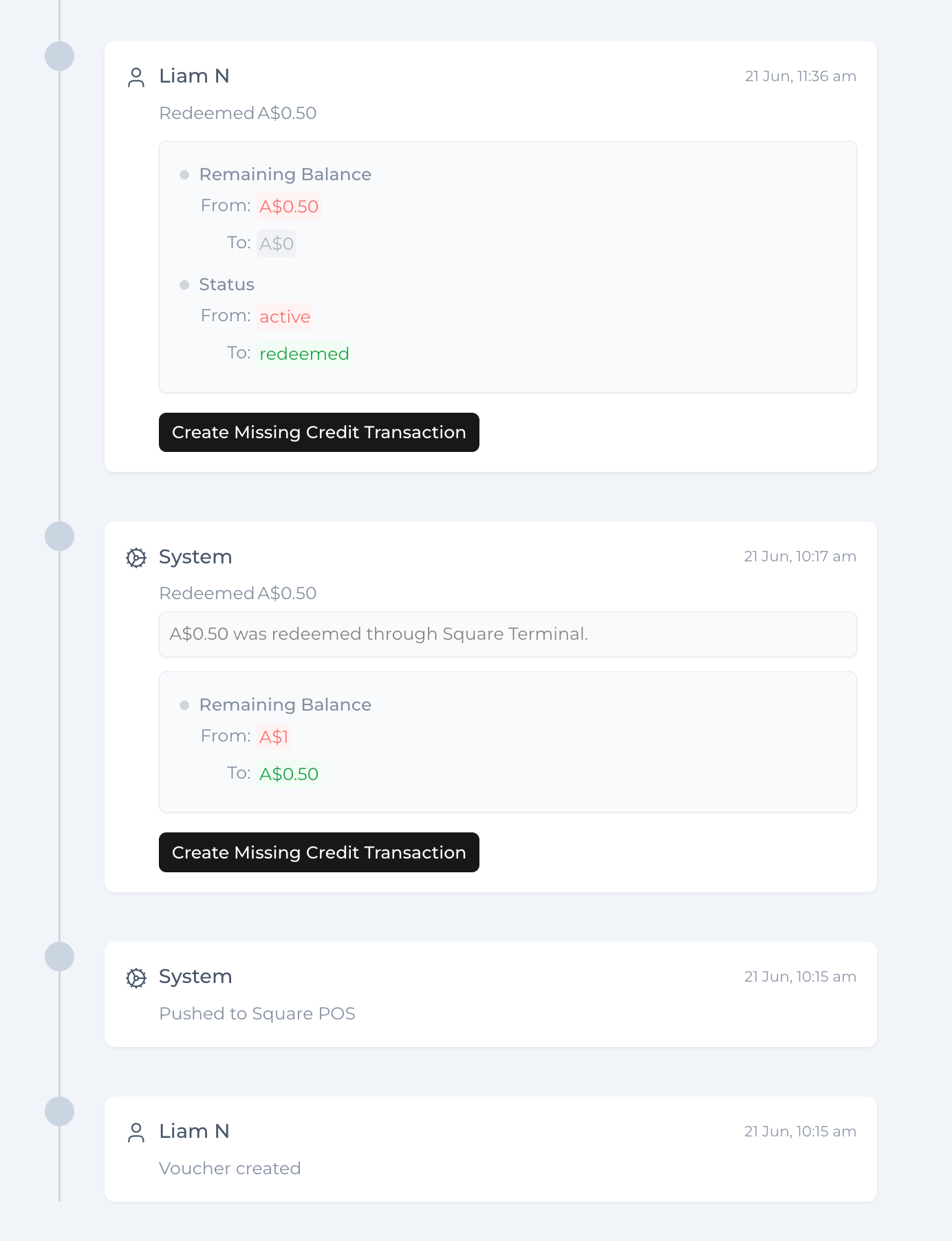
Examples include:
- Voucher created
- Pushed to Square
- Gift card imported from Square
- Redeemed through Square POS
- Balance updated
This activity log provides a complete history of voucher and gift card events.
Troubleshooting
My gift card is not appearing in Square
Check that:
- Square is connected
- Push Gift Vouchers to Square is enabled
- The voucher was created after the integration was enabled
My gift card is not appearing in VaocherApp
Check that:
- Sync Gift Vouchers from Square is enabled
- A voucher template has been selected
- The gift card exists in Square
Gift card balance is not updating
Balance updates occur automatically when redemption is processed through Square POS.
If a balance appears incorrect:
- Confirm the redemption exists in Square.
- Open the voucher activity log in VaocherApp.
- Contact support if the activity is missing.
Can I redeem gift cards through Square Virtual Terminal?
No.
Square gift cards can only be redeemed through supported Square POS applications and devices.
Square Virtual Terminal does not currently support gift card redemption.
Why can’t I see Gift Card as a payment option?
Gift card redemption is only available through supported Square POS applications and hardware.
If you are using Square Virtual Terminal, the Gift Card payment option will not be available.
Disconnect Square
To disconnect Square:
- Navigate to Settings → Integrations → Square.
- Scroll to the bottom of the page.
- Click Disconnect Integration.
- Confirm the action.
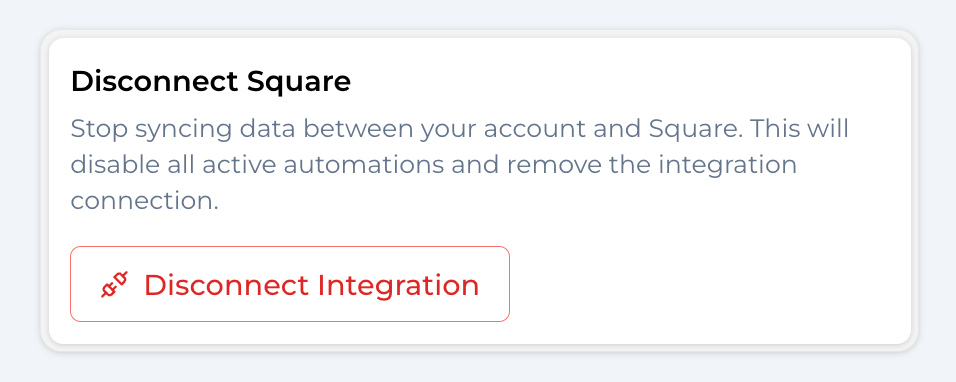
Disconnecting Square will:
- Stop payment processing through Square
- Stop voucher synchronisation
- Stop gift card imports from Square
- Remove the connection between both platforms
Need Help?
If you experience any issues connecting Square to VaocherApp, please contact our support team.
Our team can assist with:
- Connection issues
- Gift card synchronisation
- Square location setup
- Payment processing configuration
- Voucher template mapping
- Redemption troubleshooting