









Redeeming gift cards in person
When customers arrive in your store and want to pay using a gift card they’ve been given, you have a couple of easy ways to validate and redeem it:
1. Use the VaocherApp Mobile App
Available on iOS and Android, our app works on iPads, iPhones, iPods, and all Android devices.
👉 Download on App Store (iPhone/iPad)
👉 Download on Google Play (Android)
With the app, you can redeem vouchers by scanning the code or entering the voucher manually. It’s perfect for staff who need a quick and portable solution.
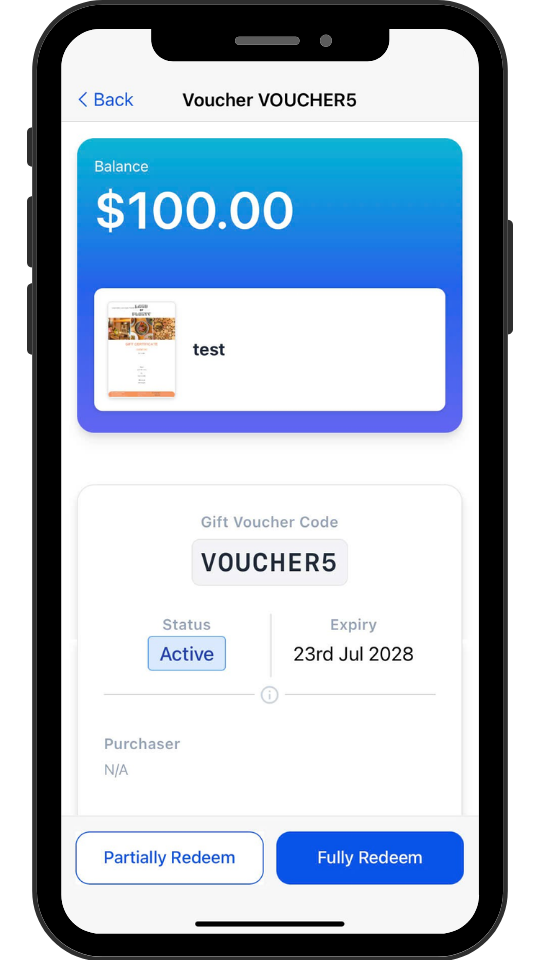
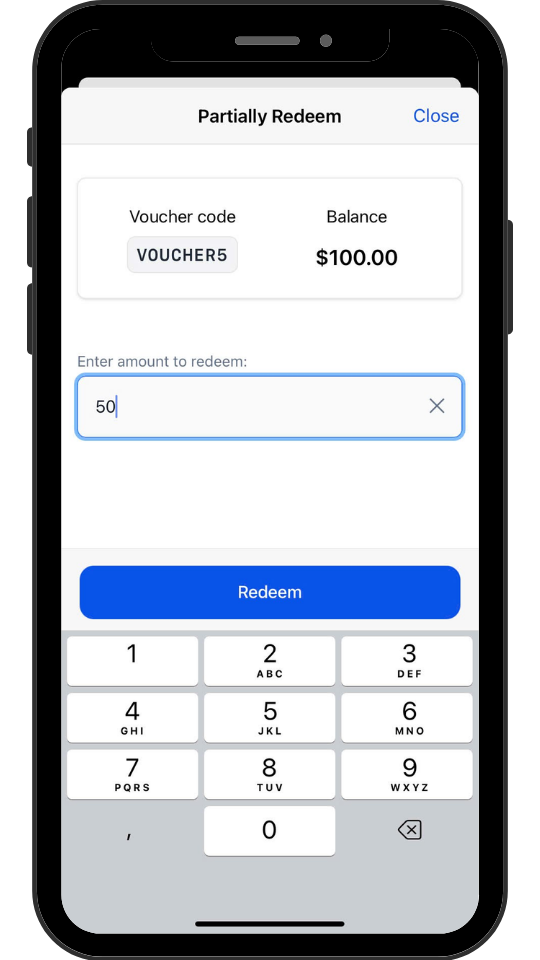
Gift card redemption on the mobile app
2. Use the Web Merchant Dashboard
If you’re at the counter or using a desktop/laptop, you can redeem vouchers directly from your browser by logging into the Vaocher Merchant Dashboard.
Once logged in, head to “Orders” or the “Redeem Voucher” section, enter the voucher code, and process the redemption — no app required.
Need Help?
Got stuck or have a question? Reach out to our support team through the app — we’re here to help.