









How to Close Your VaocherApp Account (Offboarding Checklist)
If you no longer need your VaocherApp account, you can close it by following a few simple steps.
This guide walks you through the offboarding process, including how to cancel your subscription, disconnect payments, and export your data before closure.
⚠️ Before you close your account
Before proceeding, please make sure:
- All gift vouchers have been redeemed or handled
- There are no outstanding balances or transactions
- You have downloaded any data you may need for future reference
Once your account is closed, you will no longer be able to access your dashboard or data.
Offboarding checklist
Follow the steps below to safely close your account.
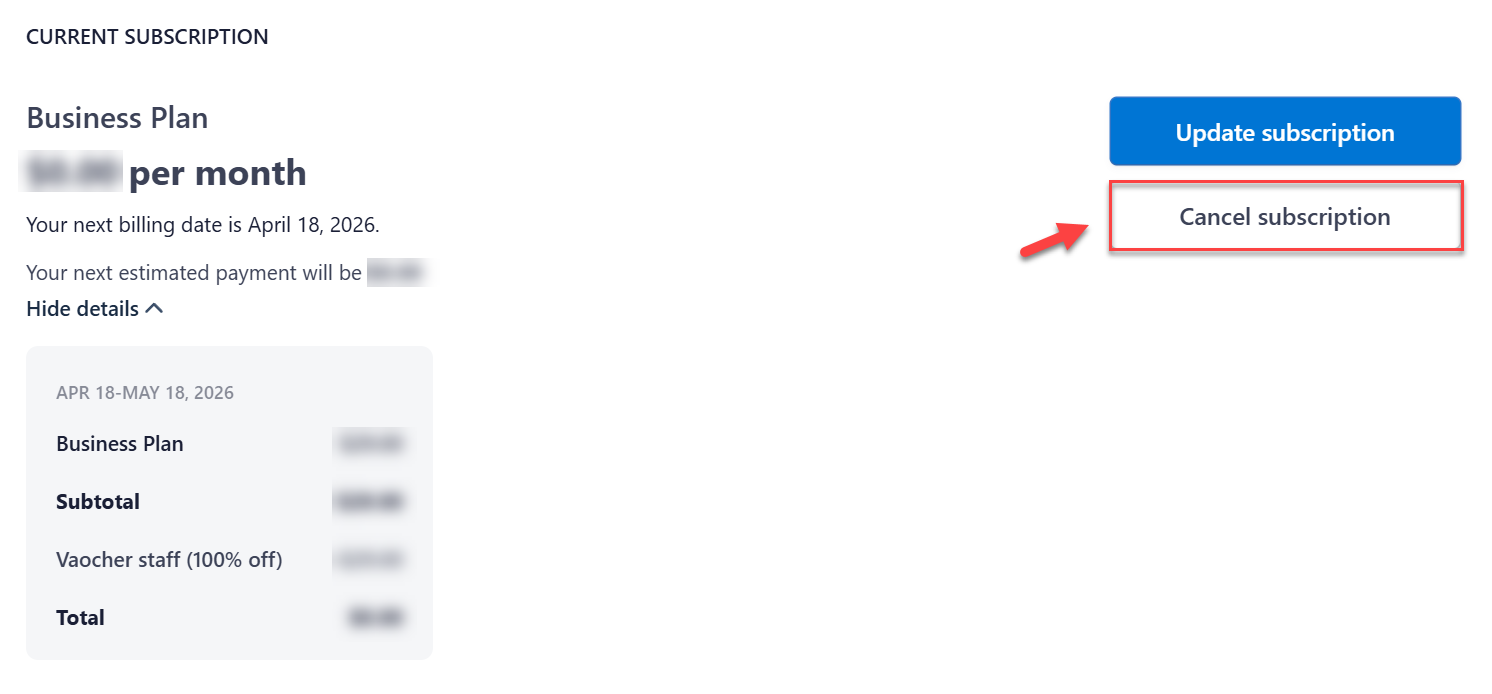
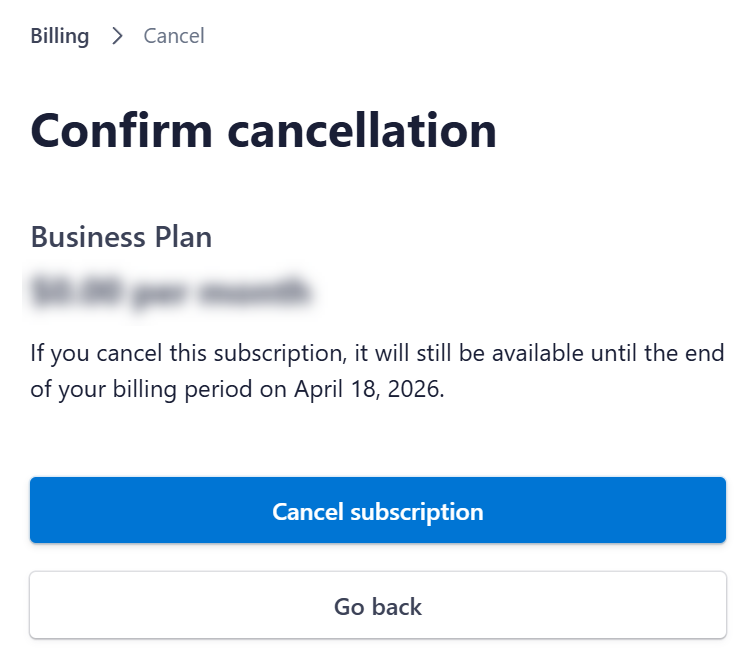
Step 1: Cancel your subscription
Go to:
https://vaocher.app/settings/subscription
- Select “Manage your plan, payment and billing details”
- Click “Cancel subscription” and confirm the cancellation
This will stop future billing.
Step 2: Disconnect your payment gateway
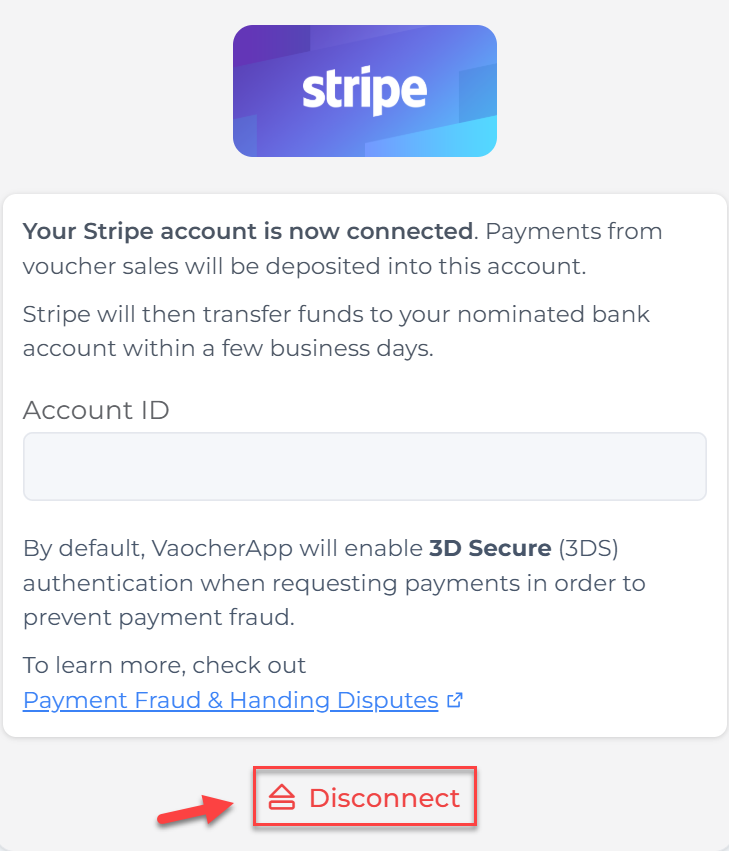
If you have Stripe connected, you’ll need to disconnect it.
Go to:
Payment Methods Settings
- Locate your connected payment method (e.g. Stripe)
- Click Disconnect
Step 3: Export your voucher data
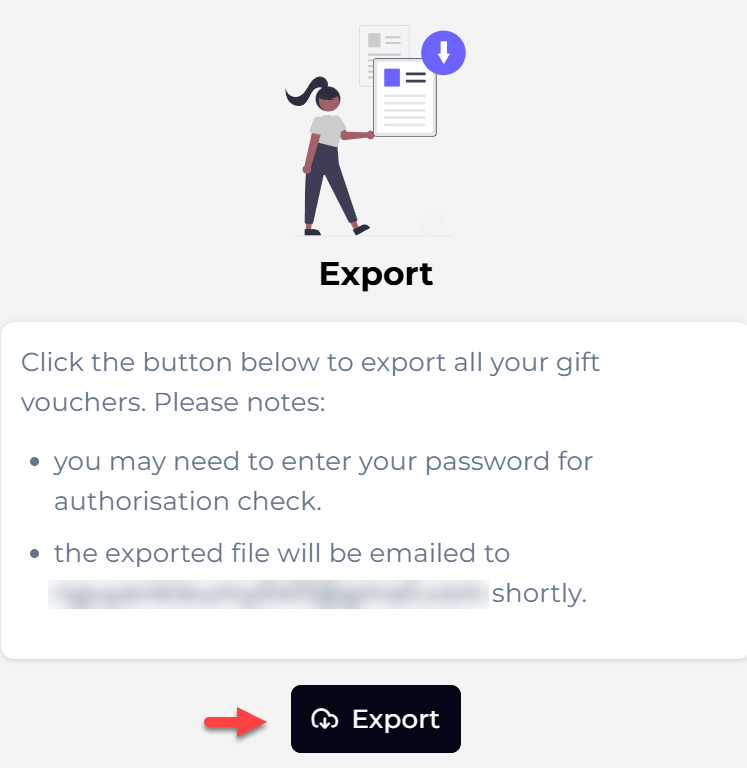
Before closing your account, make sure to download your data.
Go to:
Import & Export
- Export your gift vouchers
Step 4: Request account closure
Once you’ve completed all steps above:
- Contact our support team to confirm closure
- We’ll take care of the rest for you
❗ What happens after your account is closed?
After closure:
- Your VaocherApp dashboard will become inaccessible
- Customers will no longer be able to redeem vouchers
- All system features will be deactivated
- You will no longer be billed
Make sure everything is finalised before proceeding.
💡 Tips before closing
- Double-check that all vouchers are fully redeemed or accounted for
- Keep a backup of your exported data for future reference
- Inform your team if multiple users have access