









Customise Loading Placeholder Text for Embedded Checkout Forms
When embedding your VaocherApp checkout form on a website, there may be a short delay while the voucher store loads.
To improve the customer experience during this loading time, you can enable a custom loading placeholder message instead of showing a blank white screen.
This is especially useful for slower internet connections or websites with large pages.
Why this feature is helpful
Without a loading message, customers may briefly see an empty or white section on the page while the checkout loads. In some cases, this can make visitors think the page is broken or not working correctly.
Using a loading placeholder message helps:
- Reassure customers that the checkout is loading properly
- Reduce confusion during slower load times
- Improve the overall checkout experience
- Make embedded checkout forms feel more polished and professional
- Provide branded or customised messaging while customers wait
What does this feature do?
The Customise loading placeholder text option displays a message while the embedded checkout form is loading.
For example:
Voucher store is loading, please wait
You can customise this text to better match your brand tone or provide additional instructions to customers.
How to enable custom loading placeholder text
Step 1: Open Install Checkout Form
In your VaocherApp dashboard, go to:
Install Checkout Form → All Other Websites
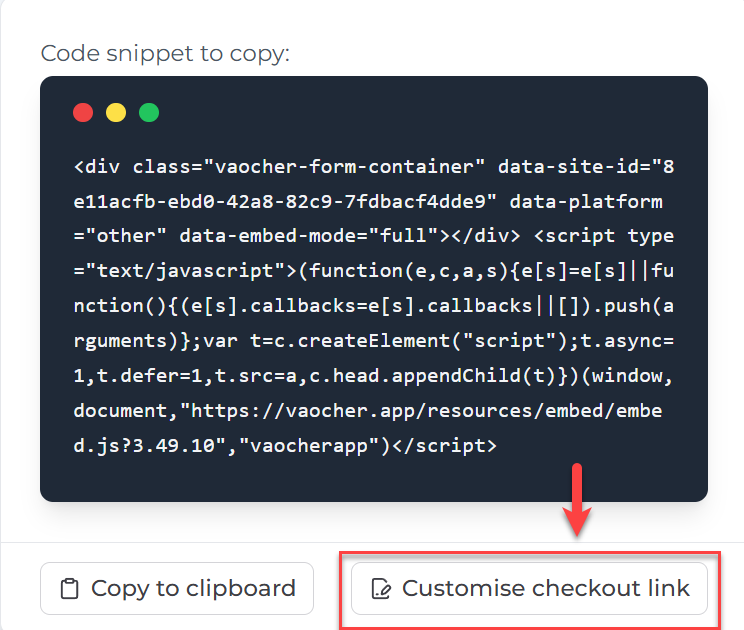
Step 2: Open checkout customisation settings
Click Customise checkout link.
Step 3: Enable custom loading placeholder text
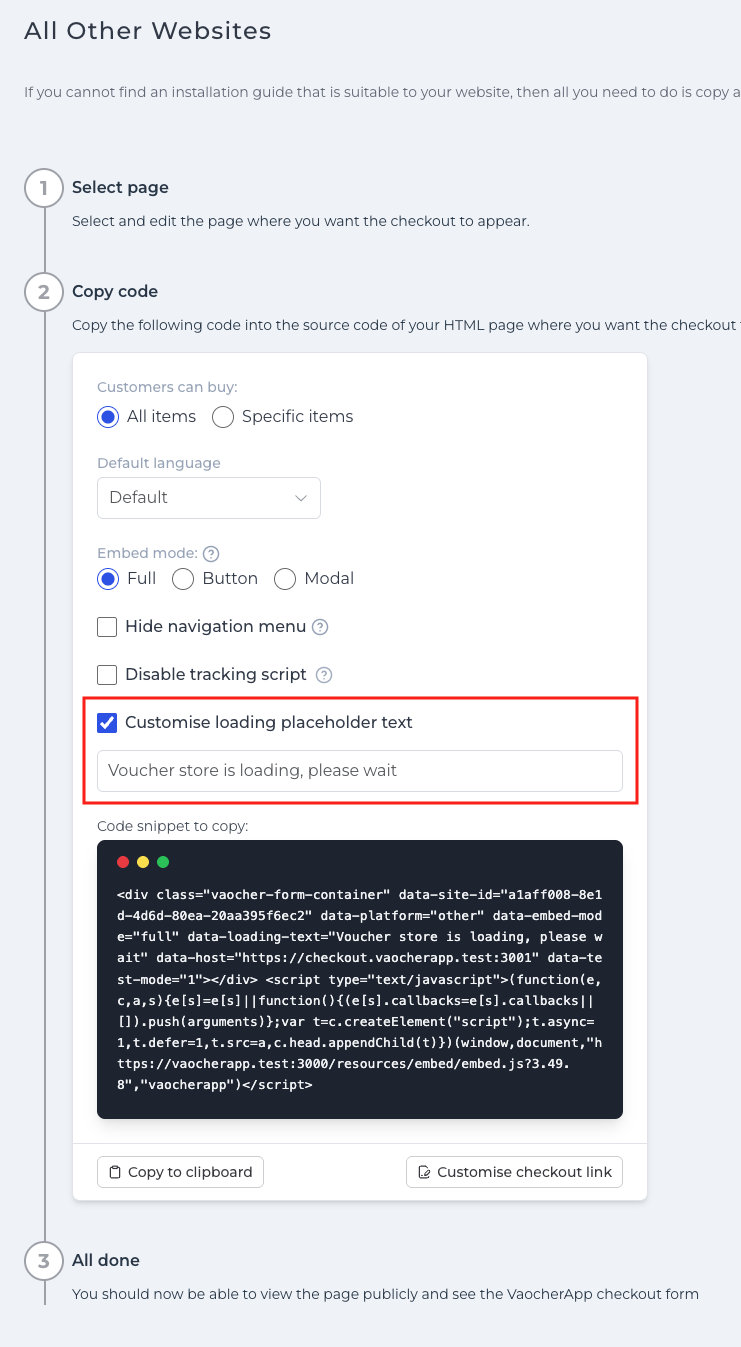
Tick the checkbox:
Customise loading placeholder text
Then enter your preferred loading message in the text field provided.
Example messages:
- Voucher store is loading, please wait
- Loading gift vouchers…
- Please wait while our store loads
- Preparing your voucher checkout
Where will this message appear?
The loading placeholder text appears directly on your website while the embedded VaocherApp checkout form is loading.
This helps reassure customers that the page is working correctly instead of showing a blank or empty section during loading.