Lightspeed Restaurant (K-Series) – Issue New Gift Vouchers from the POS
With the Lightspeed Restaurant (K-Series) integration, your staff can create and issue VaocherApp gift vouchers directly from the POS.
This is ideal for customers who purchase gift vouchers in-store or request a gift voucher during their visit. Once payment is completed, VaocherApp automatically creates the voucher and sends it to the customer, removing the need for any manual processing.
Before you start
Before issuing a gift voucher, make sure:
Lightspeed Restaurant (K-Series) is connected to VaocherApp.
Real-Time Notifications (RTN) are enabled.
The Gift Card item has been configured.
The VaocherApp Web Extension has been added to your POS menu.
Issue a gift voucher
To create a new gift voucher from your POS:
Open Lightspeed POS.
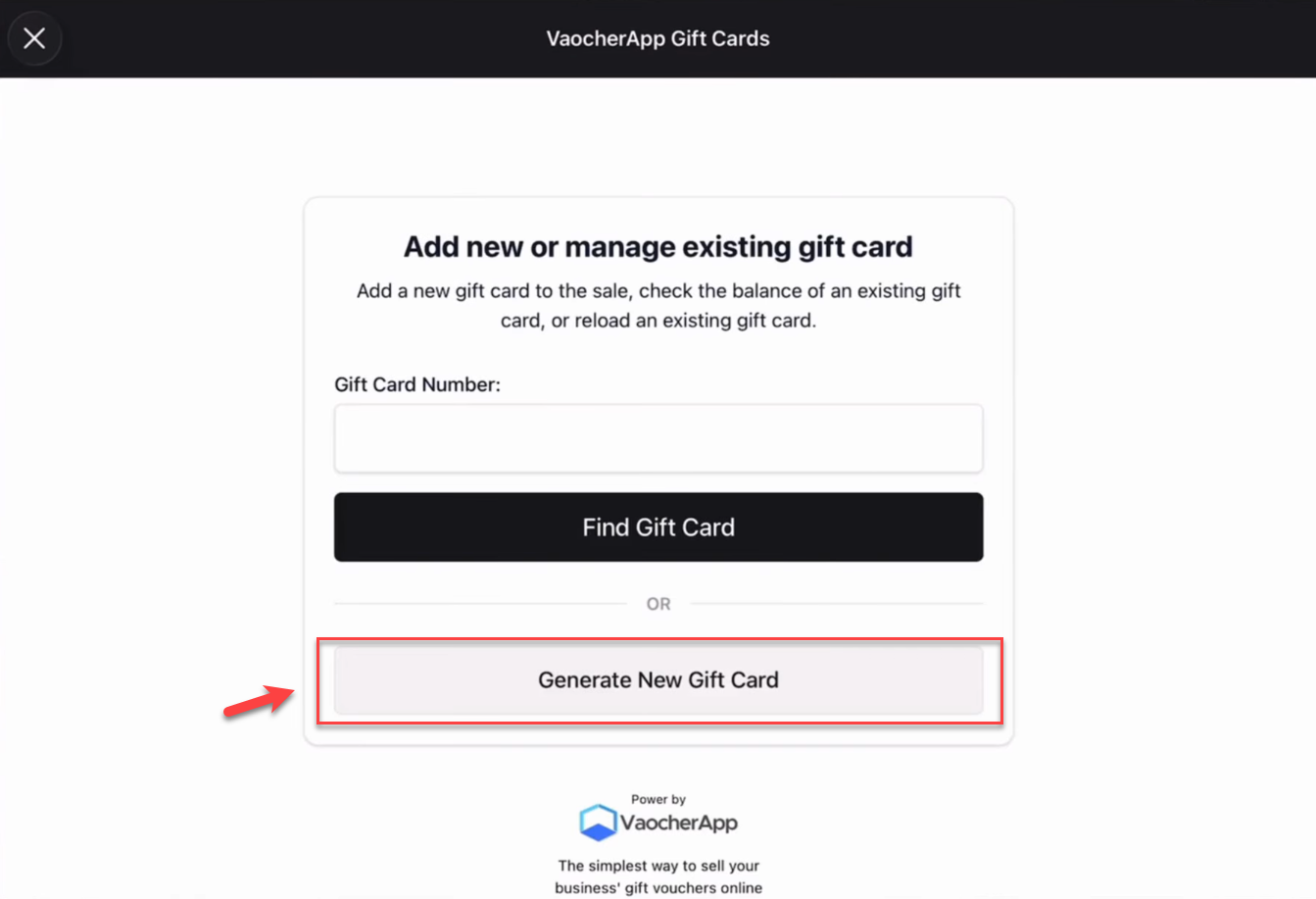
Select the Gift Cards button.
Enter the voucher value.
Enter the customer’s email address.
Complete the payment.
Create voucher from POS
After the payment is successfully processed, VaocherApp automatically:
Creates the gift voucher.
Records the voucher balance.
Sends the gift voucher to the customer’s email address.
No additional steps are required from your staff.
Example
A customer visits your venue and purchases a $150 gift voucher.
Your staff opens the Gift Cards screen in Lightspeed POS, enters the voucher details, and completes the payment.
As soon as the transaction is finalised, VaocherApp automatically creates the gift voucher, emails it to the customer, and makes it available for redemption through Lightspeed POS.
Video tutorial
Watch the complete voucher creation process here:
Next steps
After issuing a gift voucher, you can redeem it directly through Lightspeed POS.