Lightspeed Restaurant (K-Series) – Redeem gift vouchers
Customers can redeem VaocherApp gift vouchers directly through Lightspeed Restaurant (K-Series).
When a voucher is redeemed, VaocherApp checks the voucher balance in real time and automatically updates the remaining balance once the transaction is complete. This ensures the voucher balance stays synchronised between VaocherApp and Lightspeed, so customers can continue using the same voucher until its balance reaches zero.
Before you start
Before redeeming a gift voucher, make sure:
Lightspeed Restaurant (K-Series) is connected to VaocherApp.
The VaocherApp Web Extension has been added to your POS menu.
The customer has a valid gift voucher with a remaining balance.
Redeem a gift voucher
To redeem a gift voucher through Lightspeed POS:
Open a new sale in Lightspeed POS.
Add the products or services to the customer’s order.
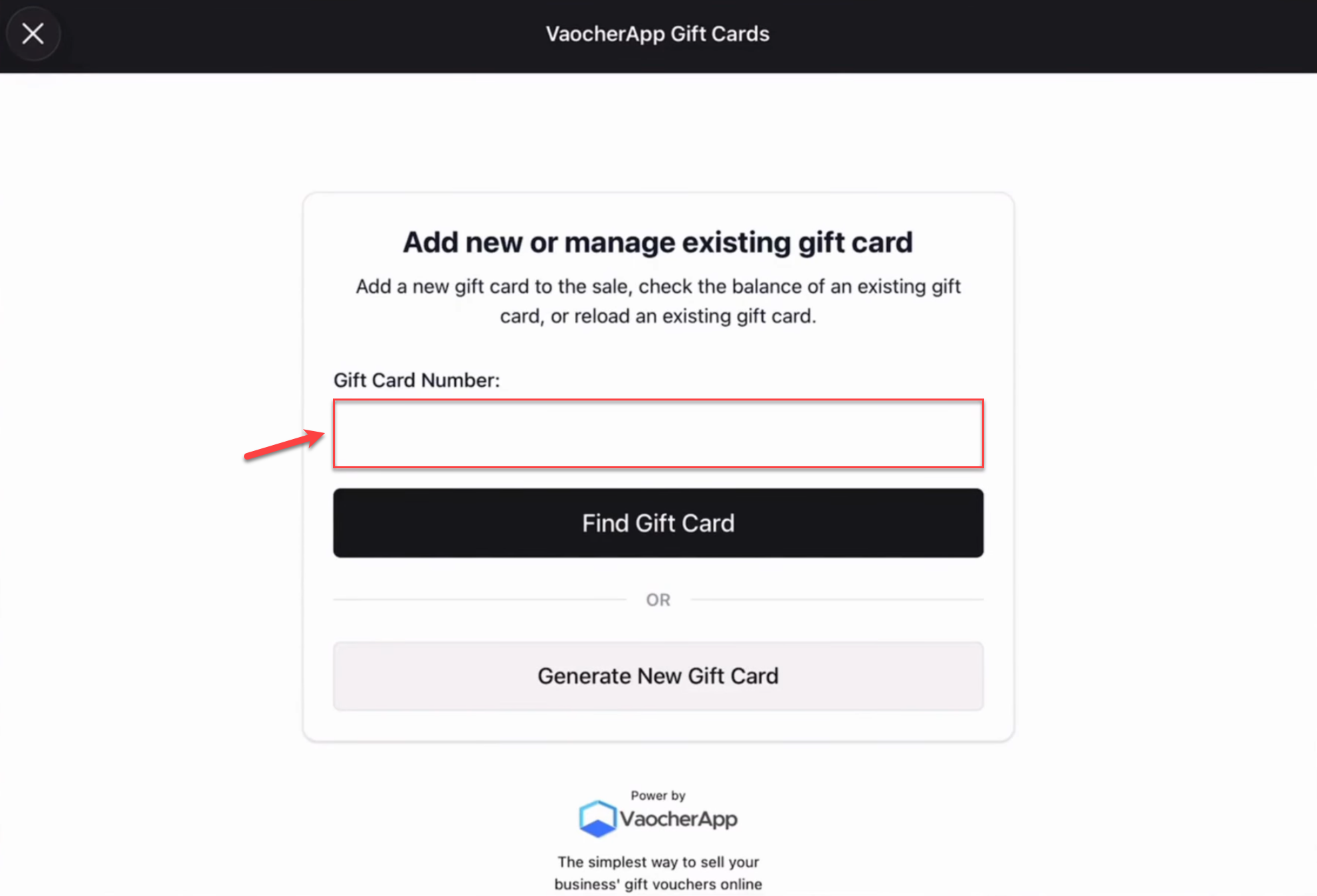
Select the Gift Cards button.
Enter or scan the customer’s voucher code.
Confirm the redemption.
Redeem voucher in Lightspeed POS
If the voucher is valid, the redemption will be processed immediately. Once the transaction is complete, the remaining voucher balance is automatically updated in VaocherApp.
Partial voucher redemption
Gift vouchers can be redeemed over multiple visits until the available balance reaches zero.
Example
A customer has a $100 gift voucher.
During their first visit, they spend $40.
After the redemption:
Original voucher balance: $100
Amount redeemed: $40
Remaining balance: $60
The customer can return on a future visit and continue using the same voucher until the remaining balance has been fully redeemed.
Video tutorial
Watch the complete voucher redemption process here:
Next steps
Once you’ve successfully redeemed a voucher, you can view the updated voucher balance and transaction history in your VaocherApp dashboard.