









Strengthen Your Gift Card Management Account with 2-Step Authentication
Ensuring the security of your gift card management software account is vital to protect your business data and sensitive customer information. Activating 2-step authentication (also called two-factor authentication, or 2FA) enhances your account security by requiring an additional verification step beyond just your password. This extra safeguard helps block unauthorized access even if your password is compromised.
Why Activate 2-Step Authentication?
Two-step authentication combines two verification factors before granting access:
- Something you know: your password
- Something you have: a unique verification code sent via an authentication app or SMS
This dual-layer protection considerably reduces the risk of hackers breaking into your gift voucher system, keeping your customer data, transactions, and business details safe.
Step-by-Step: How to Enable 2-Step Authentication in VaocherApp
Follow these quick steps to enable 2-step authentication in your account:
- Sign in to your dashboard at https://vaocher.app/dashboard.
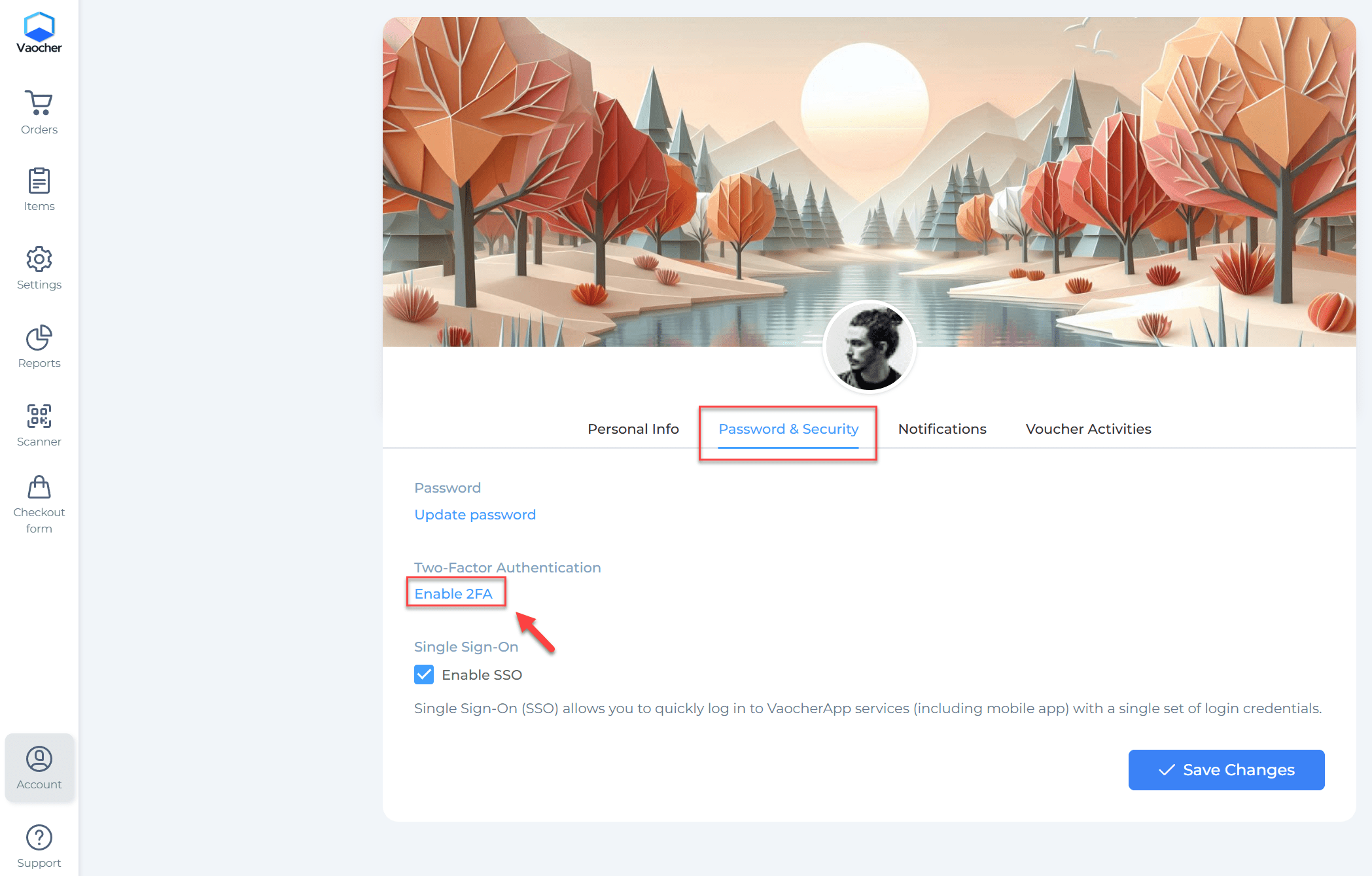
- Navigate to Account or directly visit your profile page: https://vaocher.app/settings/profile.
- Select Password & Security to locate the Two-Factor Authentication setting.
-
Click Enable 2FA: https://vaocher.app/settings/profile/2fa/.
-
Choose your preferred verification method:
- Authentication App (recommended for maximum security)
- SMS Text Message
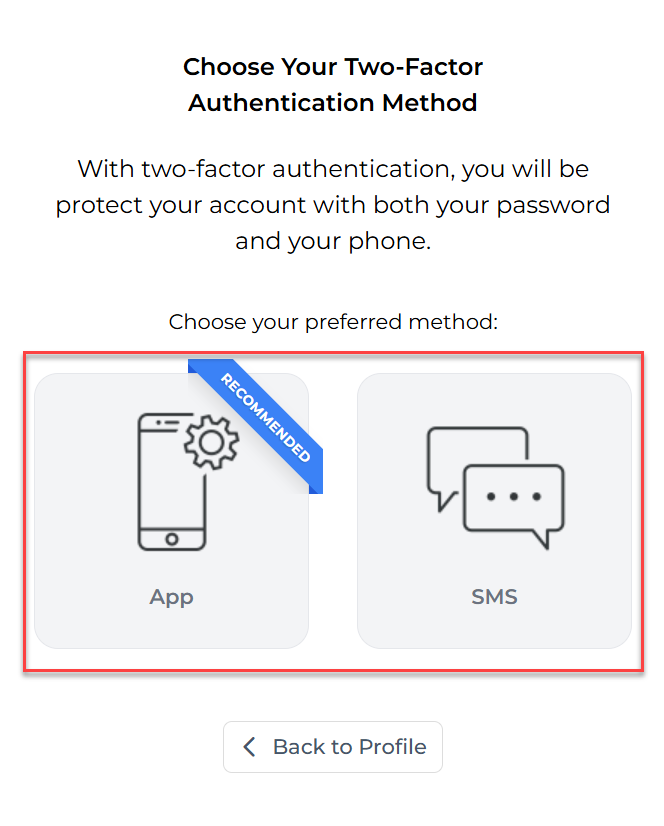
Once activated, you’ll enter a verification code from your chosen method during each login, greatly improving the security of your voucher management system.
Secure your VaocherApp account now to protect your business and gift card sales with confidence!