









How to Change the Expiry Date of Gift Vouchers
Changing the expiry date on your existing gift vouchers is quick and simple with VaocherApp. You don’t need to void or re-create vouchers to update their expiry—just follow the easy steps below to keep your customised and unique codes intact.
Why Update Voucher Expiry Dates?
Updating the expiry date allows you to:
- Extend gift voucher validity for happier customers
- Adjust dates to accommodate promotions or changes in your business
- Keep your gift voucher program flexible without disrupting existing codes
Step-by-Step Guide to Change Expiry Date
1. Open the Voucher Details Page
Log in to your VaocherApp dashboard and locate the voucher you want to update. Click to open its details page.
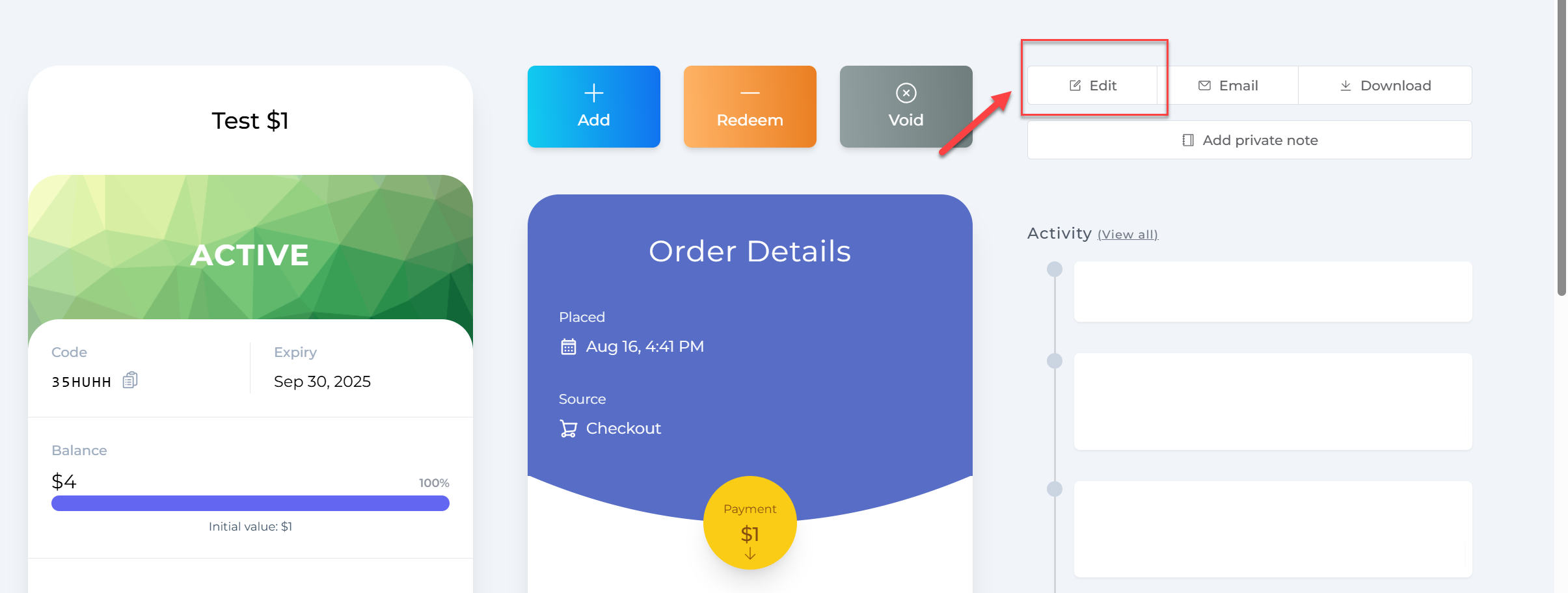
2. Click the Edit Button
On the voucher details page, click Edit to unlock fields for changes.
3. Update the Expiry Date
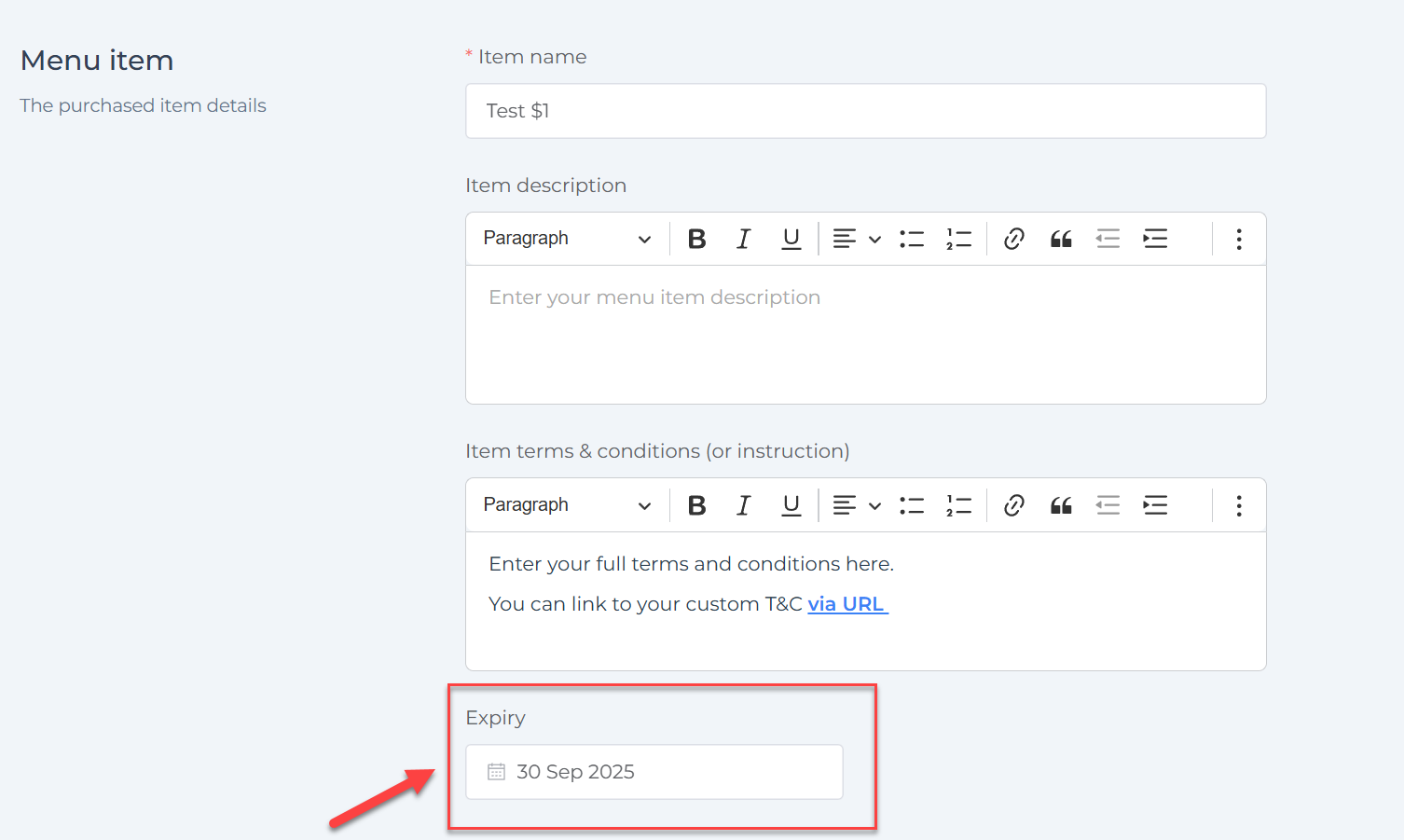
Scroll down to find the Expiry field. Select the new expiry date you want to set for the voucher.
4. Save Your Changes
Once you’ve chosen the new date, save your changes to update the voucher.
What Happens Next?
Your gift voucher’s unique code remains the same, but it will now expire on the updated date. This makes it easy to manage your vouchers without needing to issue replacements or void original codes.