









How to Track Gift Card Redemptions by Staff or Location in VaocherApp
Want to get real-time alerts and detailed insights about which staff members or locations redeem your gift cards? VaocherApp makes it simple to track redemptions and efficiently manage partner payouts. This step-by-step guide will help you monitor gift card redemptions using VaocherApp’s built-in features.
Step 1: Set Up User Accounts to Track Redemptions
Create individual user accounts in your VaocherApp dashboard for each staff member who redeems gift cards. This enables you to link redemptions to the right person and location.
How to set up:
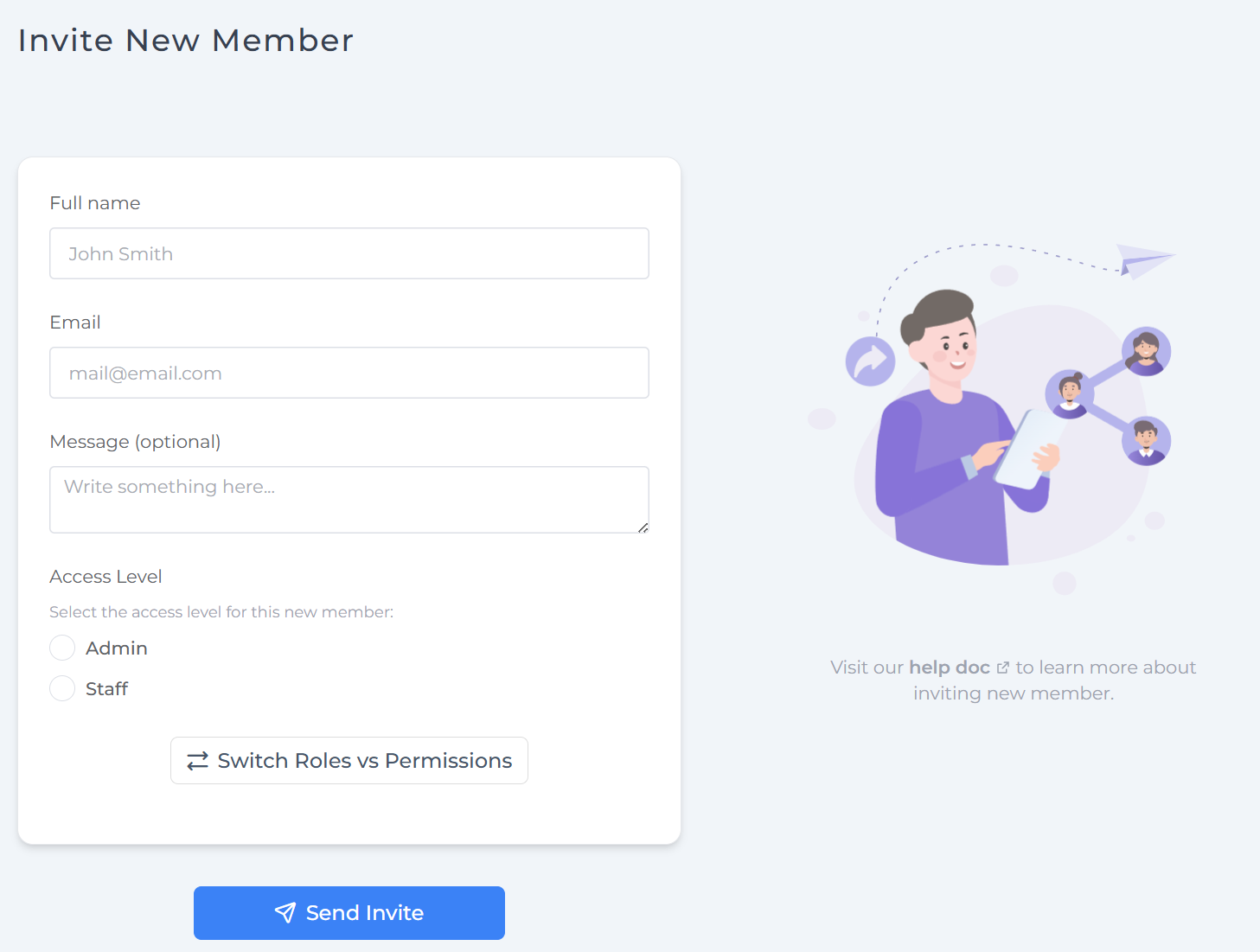
- Go to Team Members and click Invite New Member.
- Enter their name and email, then assign appropriate access based on their role and location.
- Send the invite so they can create their login.
Tips:
- Use separate accounts without sharing logins to ensure accurate tracking
- Assign precise permissions matching each user’s responsibilities
- Keep roles updated and train staff on redemption procedures
Learn more: Inviting members to join your account
Step 2: Select Your Redemption Tracking Method
VaocherApp provides two powerful ways to monitor gift card redemptions with detailed information about who redeemed and where.
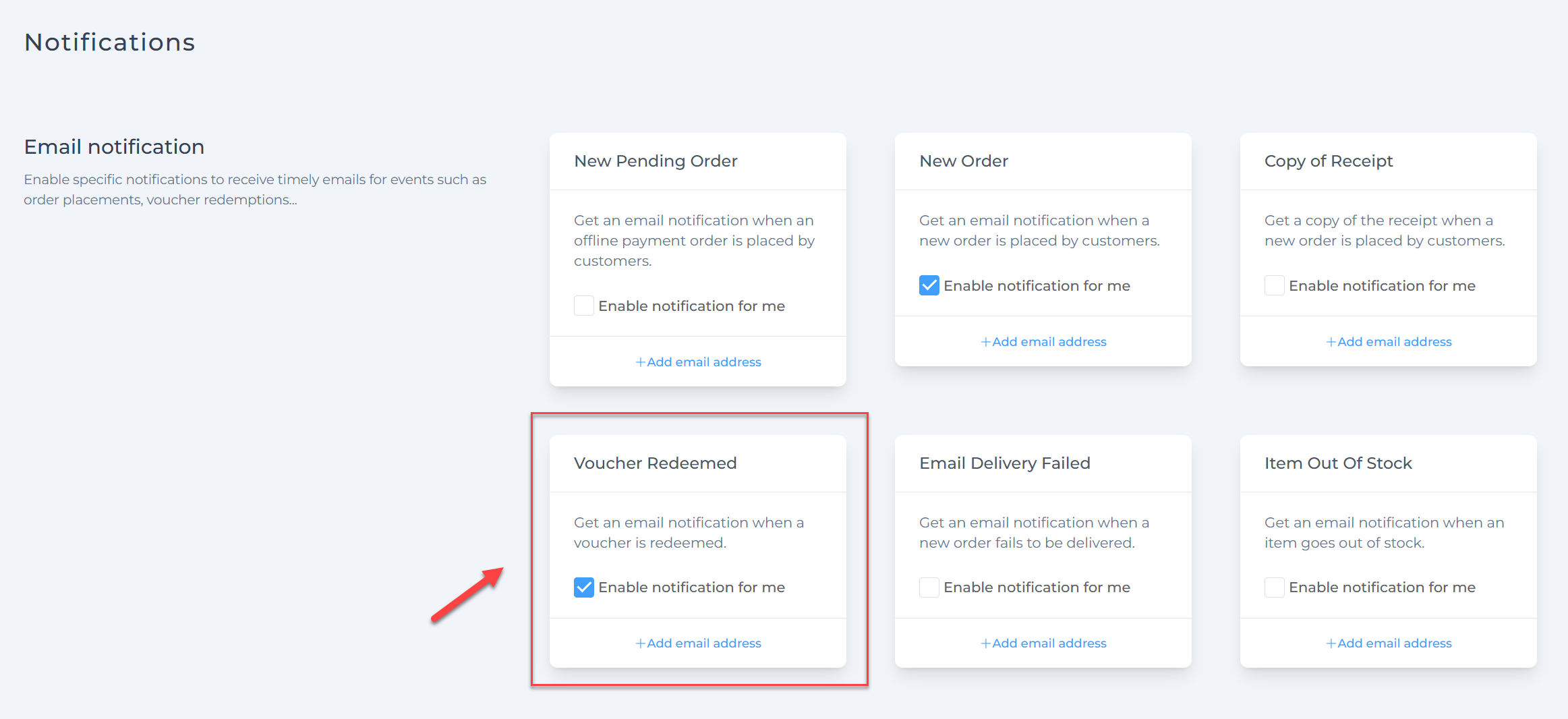
Option 1: Enable “Voucher Redeemed” Email Notifications
Get instant email notifications every time a gift card is redeemed. These emails show key details such as the staff member or location responsible and the redeemed amount, keeping you updated as redemptions happen.
To enable this feature:
- Navigate to Settings > Email Notifications
- Turn on the Voucher Redeemed notification toggle
Option 2: Use Detailed Redemption Reports
For a full overview, access the Reports section in your dashboard. Here you can:
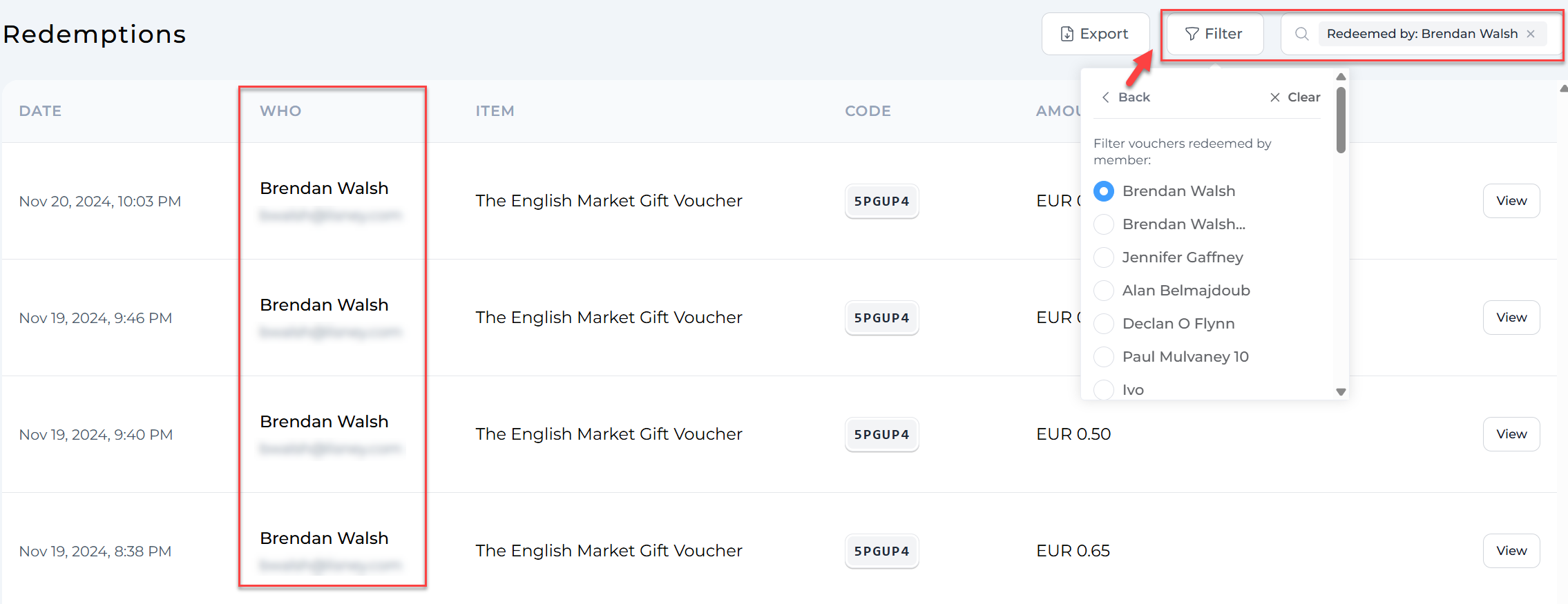
- See redemption history with details such as user names, locations, amounts, and timestamps
- Filter results by date, staff member, or location for targeted analysis
- Export redemption data as CSV files for record-keeping or further processing
To view redemption reports:
- Go to Report > Redemption
- Use the filters to select specific staff members or locations
Learn more about reports in our guide: Reporting
Tips for Optimizing Redemption Tracking
By combining user accounts with email notifications or detailed reports, you can effectively:
- Track staff performance and sales by location
- Accurately calculate partner payouts
- Identify trends and improve your gift card program
For help managing user roles and access, visit: Update team member’s permissions
Summary
- Create customized user accounts to track activity
- Enable Voucher Redeemed email alerts for real-time updates
- Use the Reports section to analyze detailed redemption data
- Export redemption records to CSV for comprehensive tracking and partner management
With VaocherApp, monitoring gift card redemptions by staff and location is straightforward, precise, and efficient.